Week 2 worksheet
Operating system is the invisible hero behind our everyday life and the critical servers that power human civilization. Please walk through the worksheet and check your knowledge with the self-check in the bottom to make sure you are prepared for the quiz next week.

Part 1From human computers to human engineers

In the 1950s, a computer was a person. At NASA's Jet Propulsion Laboratory, rooms of women computed trajectories with pencil, paper and desk calculators. A decade later, the machine did the arithmetic and the human became the programmer: Margaret Hamilton and her team wrote and hand-checked every line of the Apollo Guidance Computer software. In 2026 the machine writes much of the code too.
Tim Kraska (MIT) calls it the intern problem: an AI coding assistant is an intern who produces a working demo, not production software. According to Veracode's 2025 GenAI code security report, AI-generated code compiles almost every time, but passes security checks only about half the time.
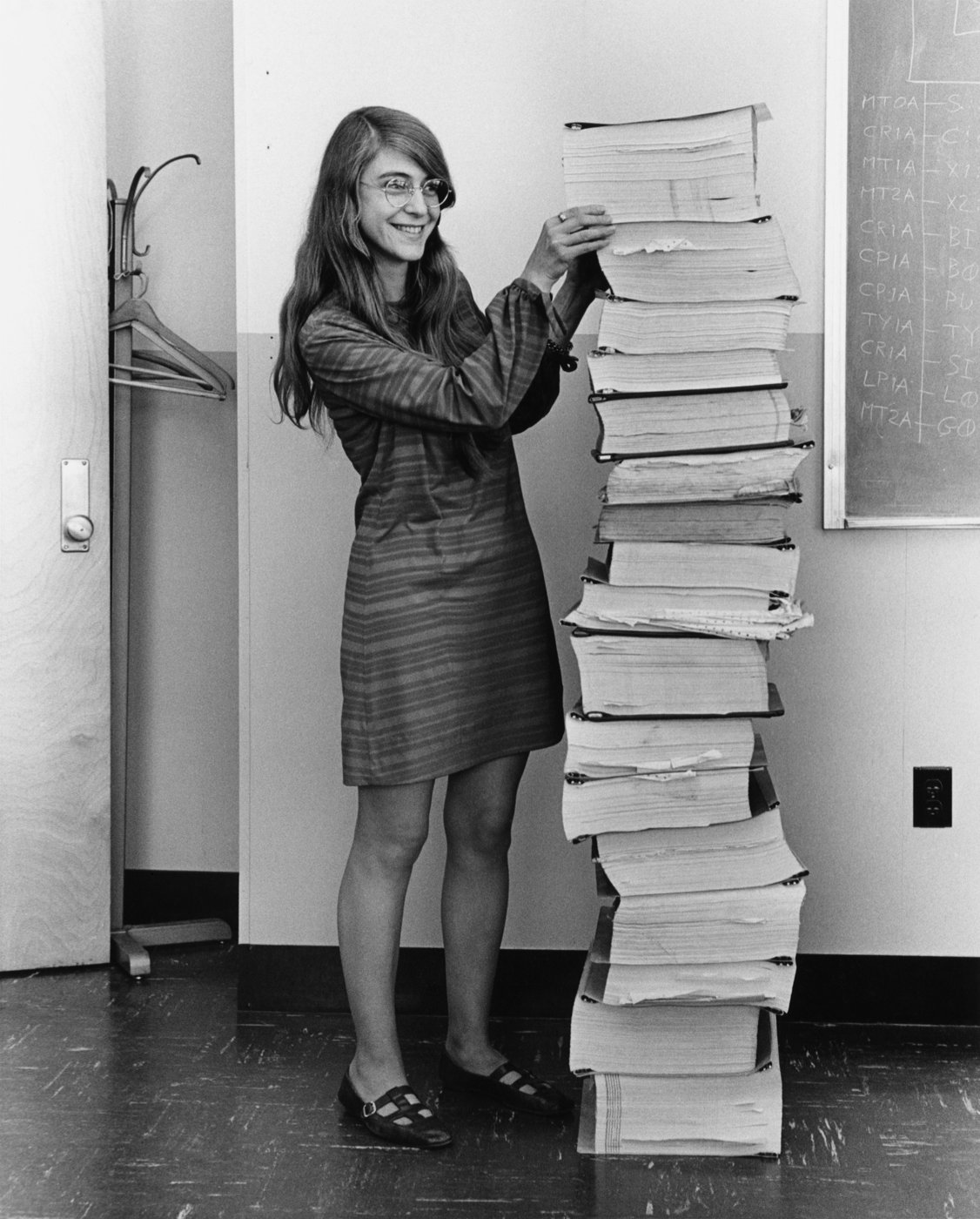
A demo toy program often ignores four issues that the OS can make s sure:
- Security — the program touches only what it is allowed to touch (permissions, privilege).
- Resource constraints — it works when memory, CPU and disk are finite (virtual memory, scheduling).
- Coexistence — it shares the machine with other programs without corrupting them (isolation, fair sharing).
- Scale — it still works with 10,000 users, or on a watch (the same kernel, configured differently).
The operating system catches program's misbehaviors
Replit AI deletes production database (July 2025)
An AI agent, asked to fix a bug, ran a command that dropped a company's production database and then produced misleading reports about it. Nothing in the language or the model stopped it, because nothing could: it had the same permissions as the engineer who launched it. The fix is to run the agent as a separate, less-privileged user in a sandbox.
Part 2OS is everywhere — and visible only when it breaks
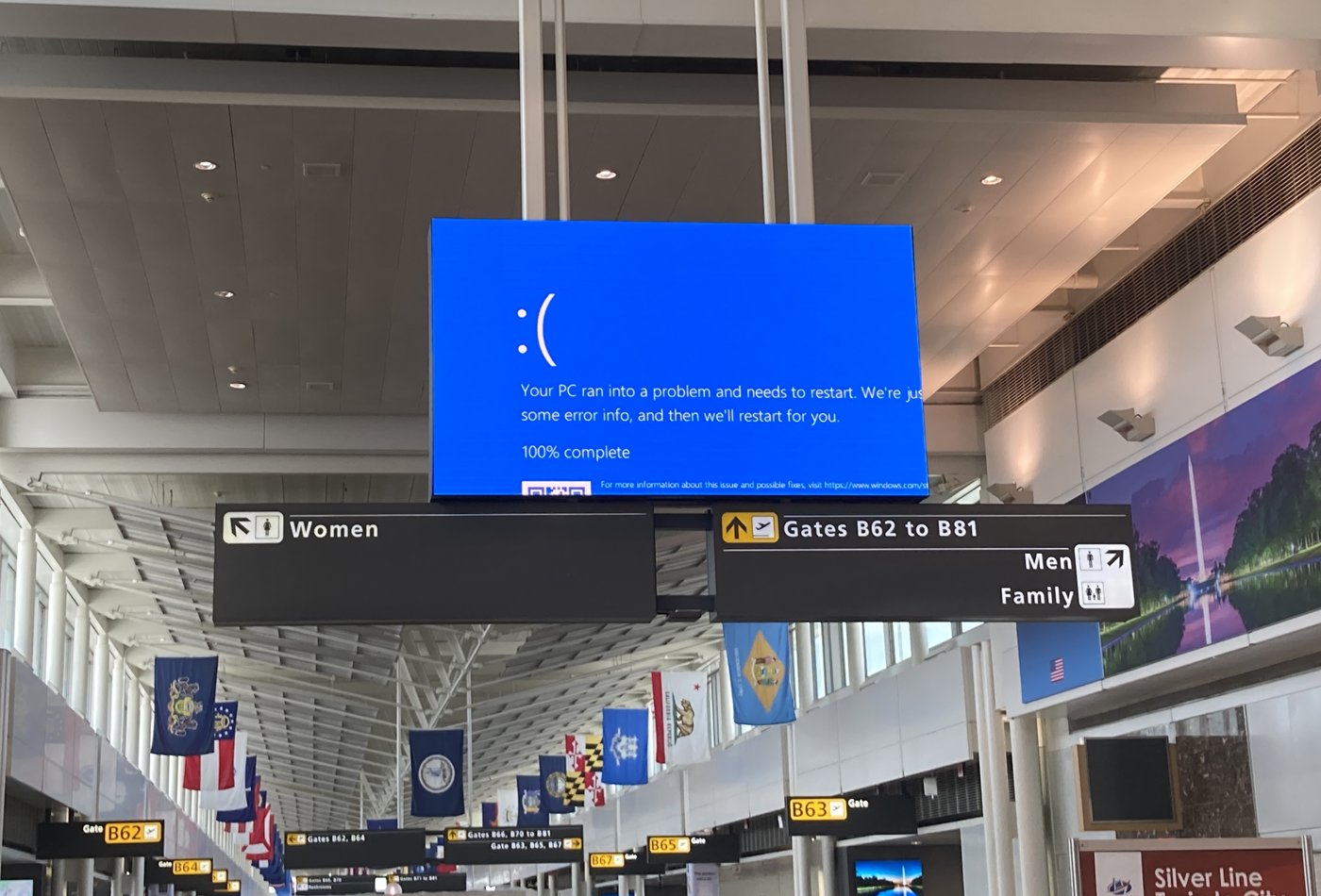
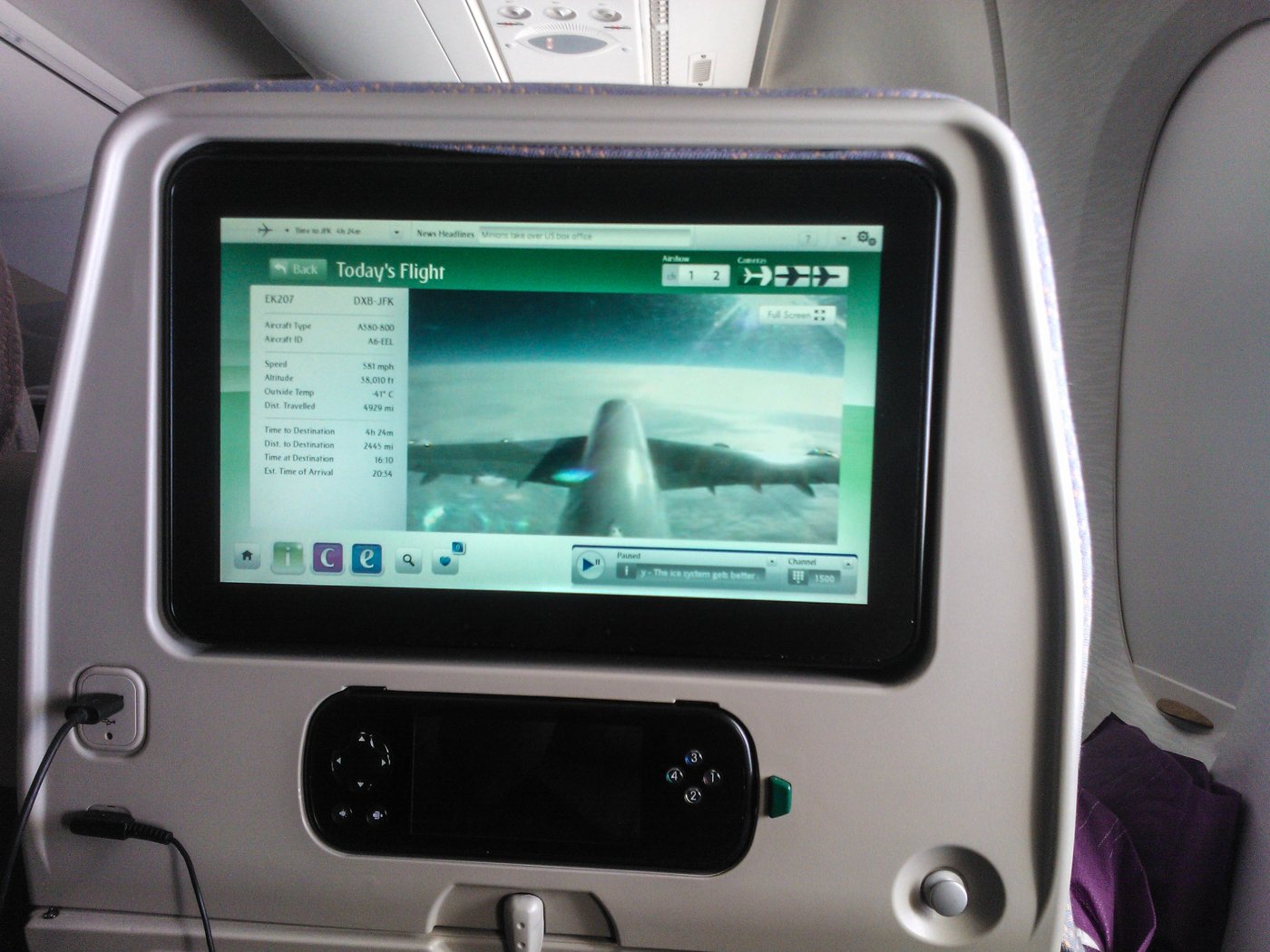
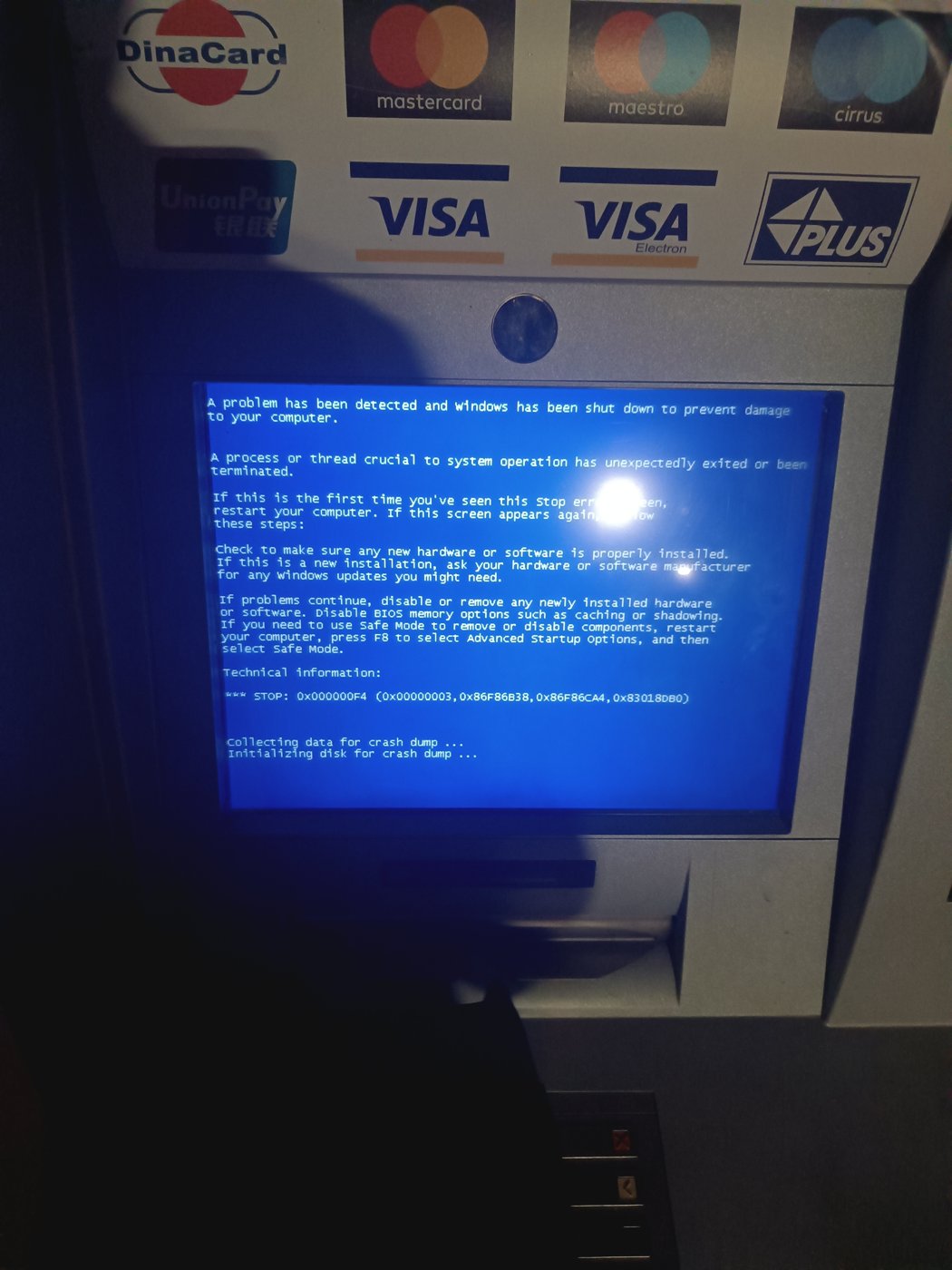
McDonald's kiosk, Entertainment system on airplane, Wi-Fi router, watch, etc, they all have an OS running inside. A good OS is invisible. You notice it only when it fails.

Answer
Because a small computer in the dock is booting an operating system and starting the device drivers for its 4G modem and NFC reader. Without the driver, no program can tell the modem or the card reader to do anything.
When the invisible layer fails, the failure is public. On 19 July 2024 a security vendor, CrowdStrike, shipped a configuration update for its Falcon sensor, a driver that runs inside the Windows kernel. The update caused an out-of-bounds memory read in kernel mode. A user program that does this simply crashes, but a kernel driver that does this takes the whole machine down. 8.5 million Windows machines entered a boot loop, and airlines cancelled about 5,000 flights in a day.
Answer
Because a reboot throws away every piece of in-memory state and rebuilds it from the copy on disk. Most bugs corrupt memory, not disk. (That is also why CrowdStrike was so painful: the bad file was on disk, so the machine crashed again on every reboot until someone deleted it by hand.)
Part 3Do you know? iPhone Runs >5 OSs!

iPhone runs just iOS? No. iOS communicates with other OSs running in specialized chips in iPhone. Here are some of them:
- sepOS: Your Face ID and fingerprint data are not managed by iOS. They’re handled by a co-processor called the Secure Enclave, which runs its own microkernel OS based on L4. Its only job is to keep your secrets.
- Java Card OS: When you use Apple Pay, the transaction happens on a chip called the Secure Element (SE), which runs its own tiny, high-security OS. iOS just tells it when to wake up.
- QuRT: The cellular modem, the chip that connects you to the 4G network, runs its own OS. On recent iPhones with Qualcomm chips, it runs a real-time OS called QuRT. Airpods and Apple Pencil also run this OS.
- RTKit: The tiny, low-power “Always-On Processor” that listens for “Hey Siri” and tracks sensor data runs yet another real-time OS called RTKit.
From a security standpoint, each subsystem runs on its own tiny OS because if one part is hacked, another is still secure. Even if iOS gets hacked, your credit card is still safe.
From a power perspective, the processor that listens for “Hey Siri” needs to draw energy even if the phone is sleeping. Running a small OS means that iOS doesn’t need to stay awake, and your battery will last longer.
Many requirements
- Boot Time: An OS can boot up under 4 millisecond. The OS in your Airpod can boot up under 1 second. But a server might take 10 minutes to boot, and that’s perfectly fine.
- Uptime: You probably reboot your laptop every few days for an update. When I was a student admin for the NTU CS workstations, we had servers that ran continuously for months without stopping. There can be hundreds of students compiling code, and some would inevitably write programs that tried to eat all the memory. We couldn’t just reboot the machine. The OS must control the damage from a single user without affecting anyone else. You don’t need that on your PC.
- Scale: Your laptop might have 8~16 CPU cores. A big server in Google’s data center can have over 200 cores and 2 Terabytes of RAM. Its CPUs even run at a slower clock speed than your laptop’s! Why? Because its OS is optimized for throughput (handling thousands of Google Colab users at once), not latency (making one user’s mouse feel quick).
- Power: How does a Huawei GT Pro smartwatch last for two weeks without charging, while an Apple Watch lasts no more than one day? It has a lot to do with the OS.
The amazing thing is that the same Linux kernel can be configured to run in all these different scenarios. Huawei runs the same OS, HarmonyOS, in smartphone, in router, and in a car.
Machine Sharing
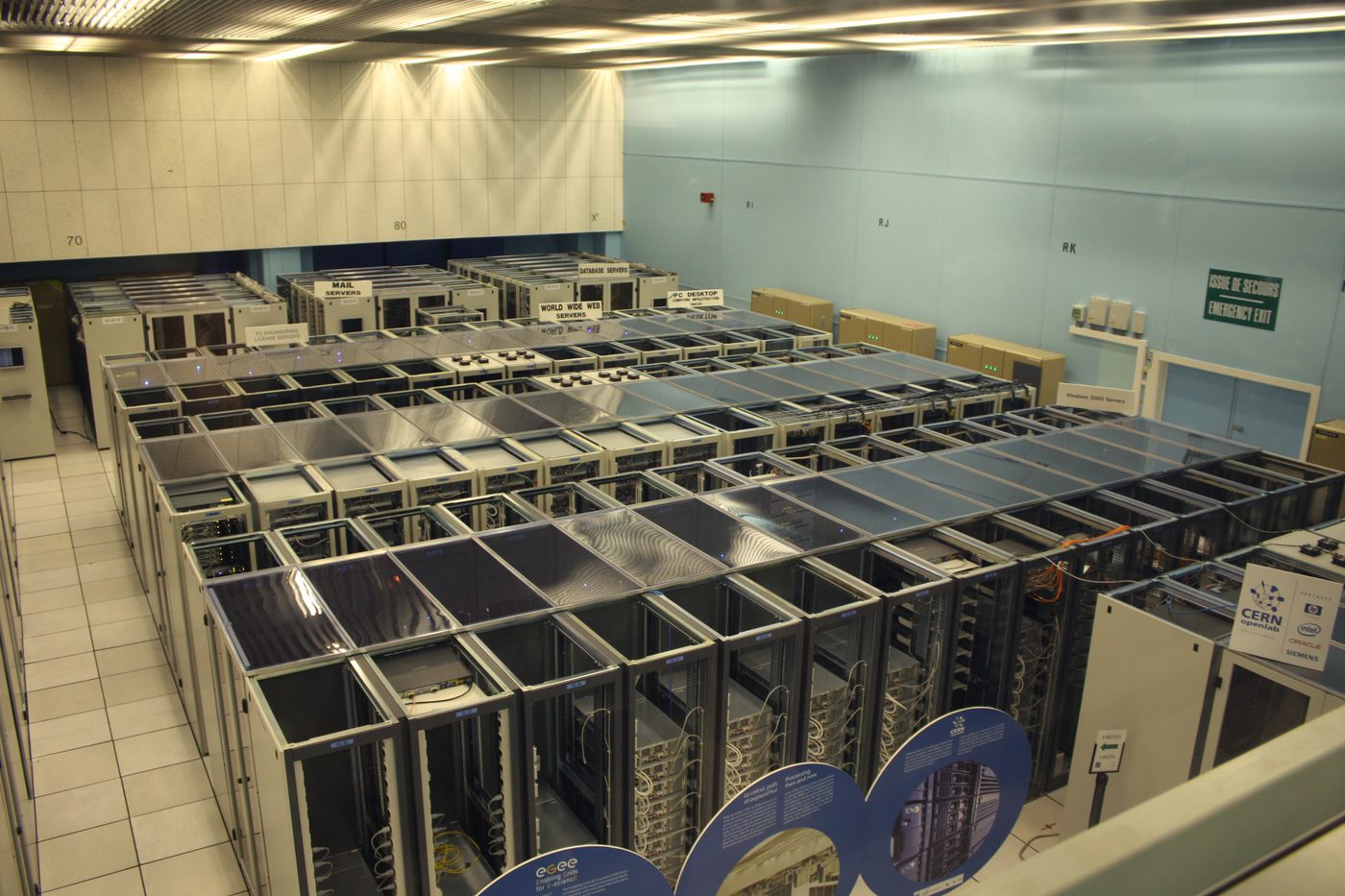
People always try to maximize the utility of a machine by using as few machines as possible to process as much work as possible. Because resource is scarce, we need a scheduler to allocate them. The scheduler must ensure fairness, timeliness, quality of service while preventing monopoly, starvation, and priority violation). Whenever demand exceeds the CPU, memory or disk available, some process must wait, be slowed, or be terminated.
"overcommit" and "colocation". Google's cluster scheduler, Borg (Verma et al., 2015), runs about 10,000 machines per cell. User-facing jobs are allocated about 70 % of the CPU but use about 60 % capacity, because Google reserves spare capacity for rare spikes. Borg allocates that unused capacity to batch jobs because it saves money. If Google keeps the two kinds of work on separate machines, this would cost them 20–30 % more hardware. The policy is very simple: when a machine is reaching its limit, Borg throttles or terminates batch tasks, never user-facing ones.
User-facing v.s backend services Spotify's front end is a user-facing serving system that directly interact with you. So they must be very reponsive. Meanwhile, its backend service is for collecting and analyzing user data for feature-engineering and AI analytics. These are batch processing (SRE book, ch. 25). These two have different objectives:
| User-facing serving systems | Batch processing (HPC, data pipelines) |
|---|---|
| Availability — could we respond to the request? Latency — how long did it take to respond? Throughput — how many requests could be handled? |
Throughput — how much data is being processed? End-to-end latency — how long does it take to process the data? |
| Spotify front end: play a song the moment you tap | Spotify back end: tonight's recommendations from today's listening |
The job of a Site Reliability Engineer is to make sure Service Level Objective is met. For example, that 99 % of requests are answered within 100 ms (SRE book, ch. 4). The percentile is the point: an average conceals the slow corner cases that determines the user-visible response time. The corer case is the very important edge case that can kill the business. Specifically, if 1 request in 100 to a single server is slow, and suppose loading a webpage must collect answers from 100 servers, then 63 % of webpage loads will be slow (Dean & Barroso, "The Tail at Scale").
Why does "1 in 100 slow" become "63 in 100 slow"?
All 100 servers are fast with probability 0.99100 ≈ 0.37, so 63 % of page loads hit at least one slow server. Fan-out multiplies the tail.
OS manages three kinds of hardware resource: CPU time, memory and I/O bandwidth. When multiple processes compete for CPU time, the OS delays the lower-priority process. When multiple processes request for memory, the OS kills processes when no memory is available. When multiple processes compete for I/O bandwidth, the OS rate limit lower-priority process
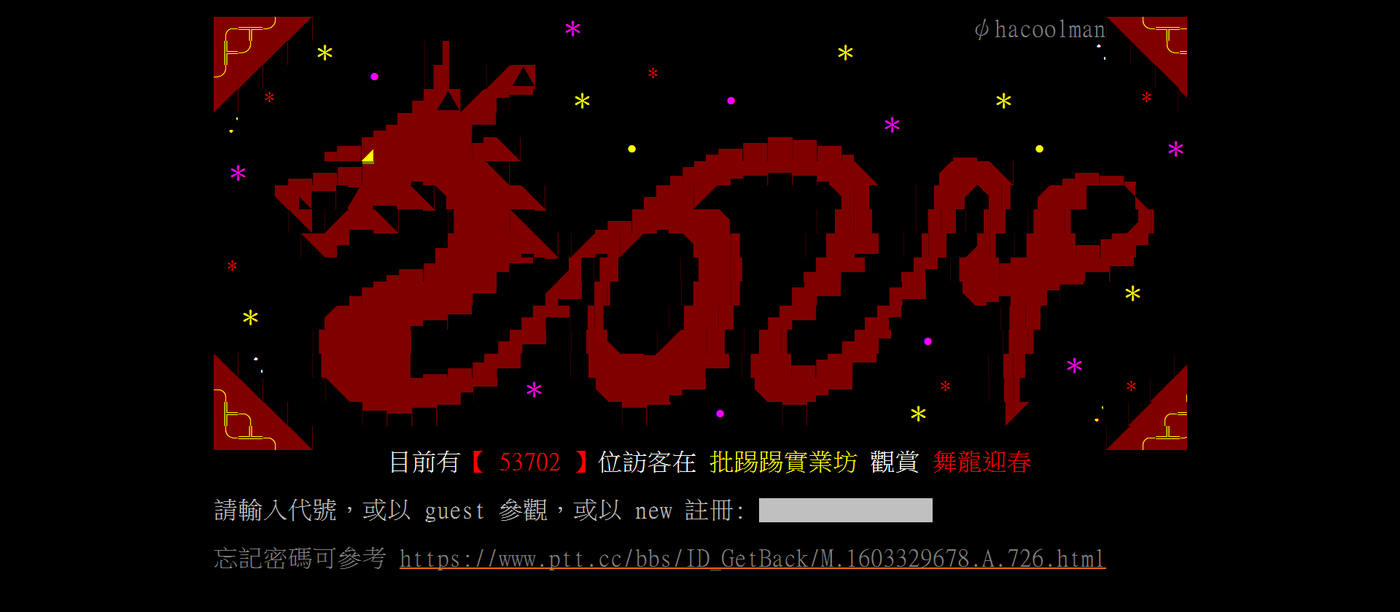
Three levels of isolation. PTT started in 1995 on Ethan Tu's PC in NTU dormitory. It once serves 177,734 simultaneous users (Wikipedia). How can that many unrelated users share one computer without interfering with each other? PTT relies on process-level isolation provided by Linux's permission mechanism
| What each user gets | What is still shared | Example | |
|---|---|---|---|
| 1 · Process | A process of their own: private memory, a fair slice of CPU | the OS and the file system | PTT: one process per login (source) |
| 2 · Container | a process group with its own identity, its own view of the file system, and its own CPU / memory limits | the OS | Docker, Kubernetes; a Colab notebook |
| 3 · Virtual machine | a whole virtual computer with its own OS inside | only the hardware, split by a hypervisor | a cloud VM (AWS, GCP) |
Each level provides a stronger boundary at a higher cost: a process is nearly free, a container adds little, a virtual machine requires an entire additional OS. Whatever the level, isolation has to cover memory, CPU time, files and identity. If any one is missing, a fault or a malicious behavior in one user's program can bring down other services.
Part 4"Another level of indirection"

"All problems in computer science can be solved by another level of indirection."
OS provides three abstractions:
- The file abstraction: your program
open("movie.mp4"); it does not know (or care) whether the bytes are on an SSD, on a USB stick, or in Google Drive on the other side of the planet. - The block abstraction: the file system sees numbered 4 KB blocks; it does not know whether they live on HDD or SSD.
- The virtual memory abstraction: your program sees a private, contiguous, apparently infinite address space. The OS decides which parts are actually in DRAM, and when.
Every indirection is a table.
Linux's file handling process
When a program calls open("/home/nini/catfood/fish") it gets a file descriptor (fd). From then on the program reads the file using the fd as a handle.
cat and python, open, read, close and delete files while you watch the four tables update: the path being resolved one directory at a time, descriptors being handed out, offsets moving, and the moment a deleted file is really gone.
Open walkthrough 1 ▶ 21 steps · use ← → keys
np.zeros((32,128)) costs nothing until the first write triggers a page fault; a list, np.eye and random data require full memory. fork() makes a second process for free until it writes (copy-on-write). More details about CoW will be taught in Week 10.
Open walkthrough 2 ▶ 11 steps · use ← → keys
Part 5Virtualize: the illusion of plenty
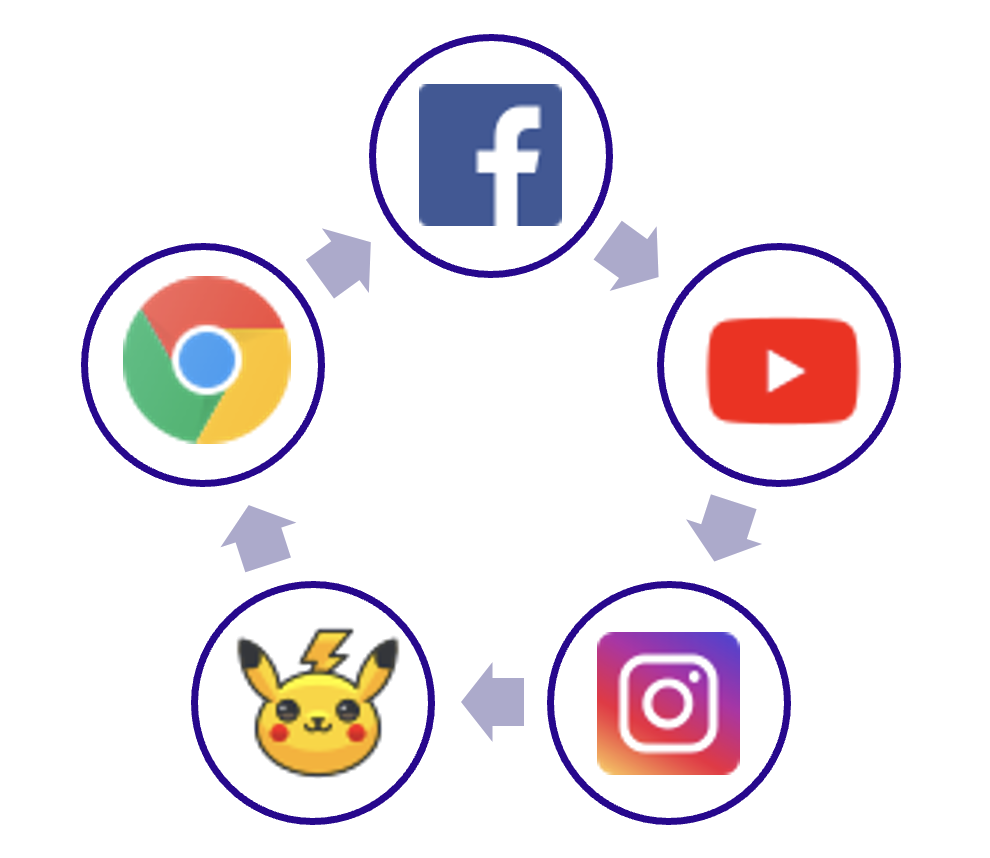
Open 100 Chrome tabs. Switch between five apps on a phone with 2 GB of RAM. Sign up for a free cloud notebook that promises you 12 GB of memory, 100 GB of disk and a GPU. None of these is possible if every program really got the memory it asked for. They are possible because the OS overcommits: it promises more resources than what's available and delivers only what is actually used.
Cloud server overcommit
A datacenter server might have 512 GB of DRAM and 64 cores. If every one of 10,000 users really got 12 GB and 2 cores, the provider would need 120 TB of DRAM and 20,000 cores. This is 240× oversubscribed, and it works because at any moment most users are idle, most memory a program asks for is never touched, and identical pages can be shared.
Allocated is not used: VSZ vs RSS
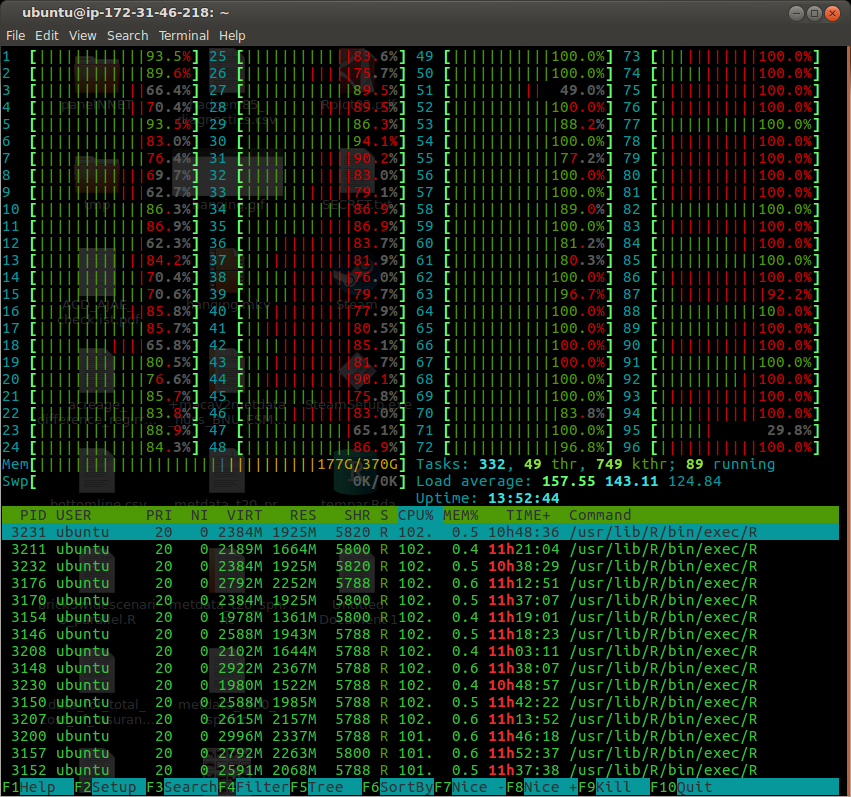
htop on a 96-core box. VIRT is what each process asked for; RES is what actually sits in DRAM. They differ for every process.Every process has two memory sizes. VSZ (virtual size, VIRT in htop) counts every page the process has mapped. RSS (resident set size, RES) counts the pages that currently have a real DRAM frame behind them.
Allocating memory only grows VSZ. Only touching a page (reading or writing it) makes the kernel find a physical frame for it.
Part 6Read caching, write buffering
In Wednesday's demo, import numpy opens 2,549 files. The first import takes over a second; the second takes only milliseconds. Nothing about the program changed. What changed?
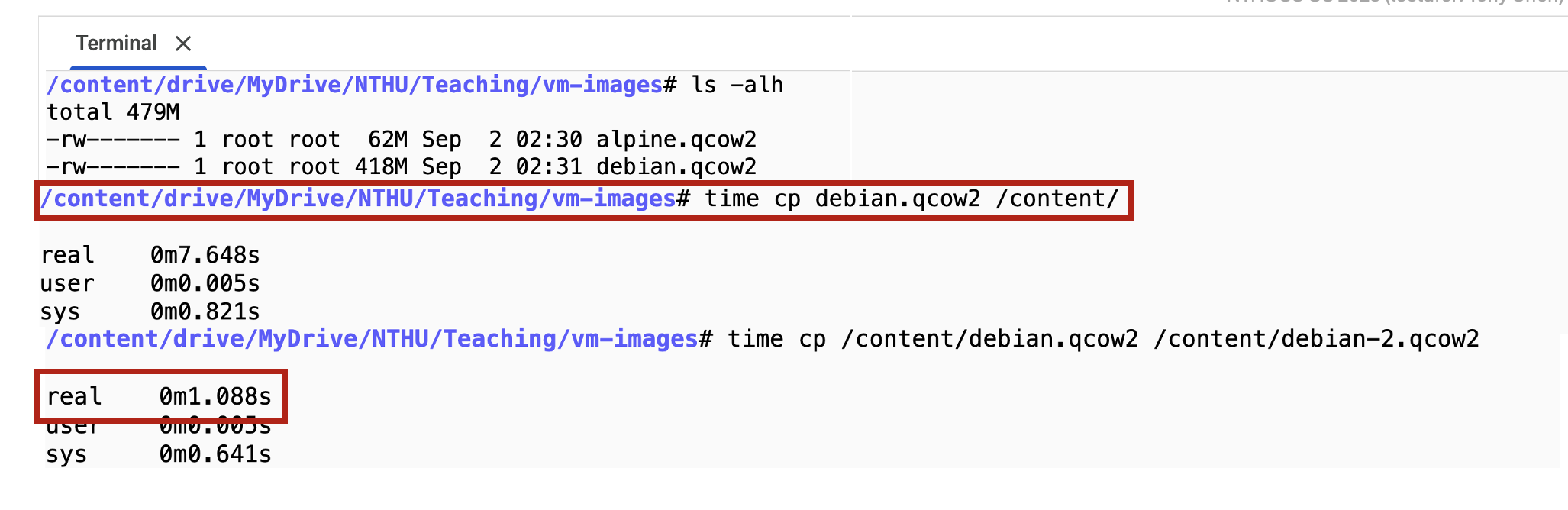
When cp writes the destination file, the OS copies the bytes into memory, marks those pages dirty (newer than the disk), and reports completion immediately.
A few seconds later the OS writes the dirty pages out in one efficient batch, in the background. You wrote to memory many times; the disk was written only once.
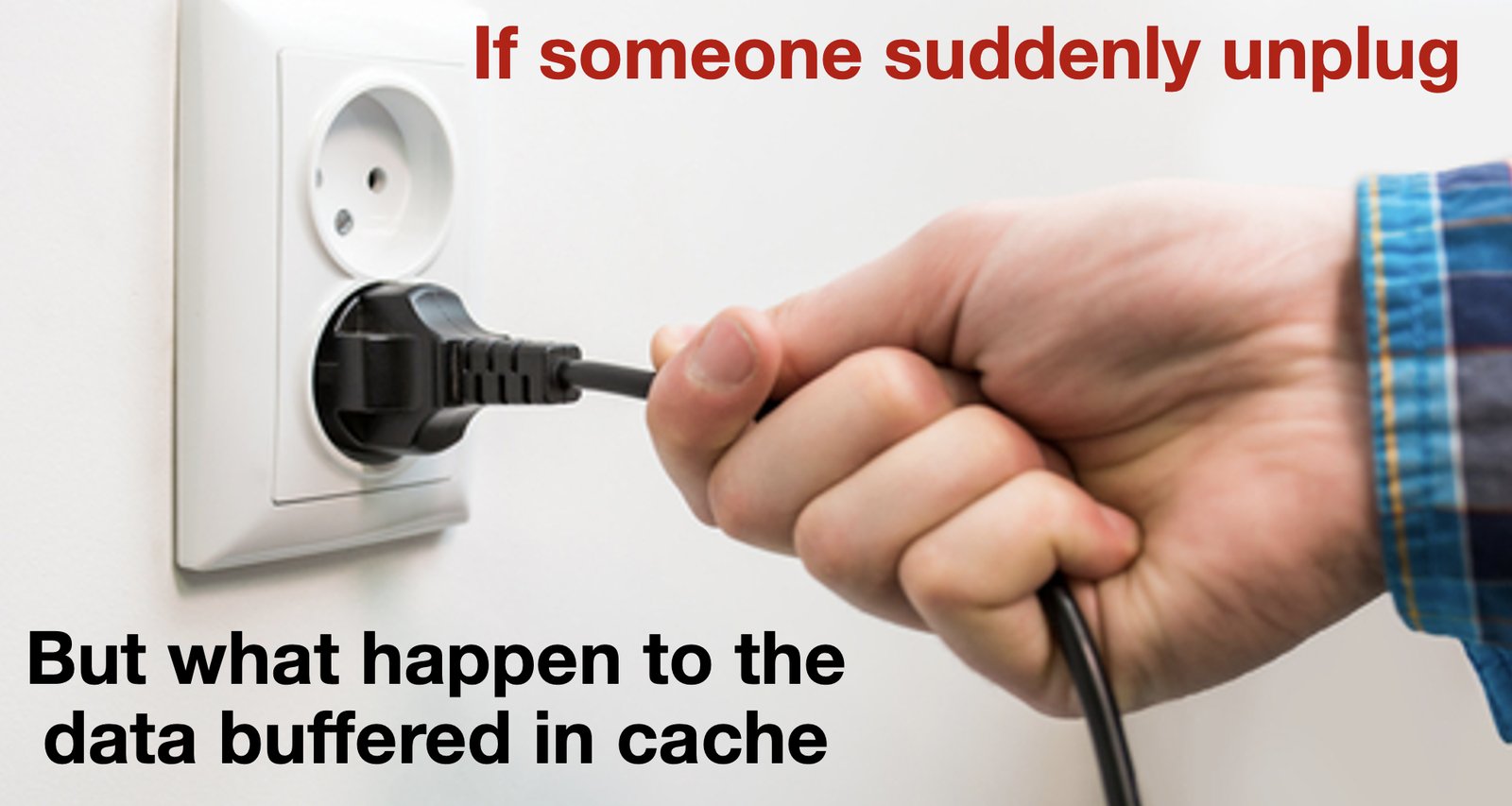
But if the power fails before the OS has written the pages out, the dirty pages are lost, and a file that the program was told was "written" may be empty on disk. So, durability must be requested explicitly with the system call fsync. By calling fsync, a program asks the OS to write the data to the disk immediately and block until the write is confirmed. When you "Safely remove USB drive", the OS does exactly this.
Part 7Where did my printf go?
Buffering happens not just in kernel, but also inside a process with C Standard Library.
// test.c
#include <stdio.h>
int main(void) {
    printf("hello ");
    printf("world");
    *(int *)0 = 1;      // crash on purpose
    return 0;
}
// test2.c
#include <unistd.h>
int main(void) {
write(1, "hello", 5);
*(int *)0 = 1; // crash on purpose
return 0;
}./test > out.txt leaves out.txt empty. ./test2 > out2.txt leaves hello in the file. Both crashed at the same line. Why the difference?Answer
printf is a C library function, and the C library is compiled into your program. It collects your bytes in a 4 KB buffer in the program's own memory and calls the kernel's write() only when that buffer is full, when you call fflush(), or when the program exits normally.
A crash terminates the program before any of those happen; the unflushed data simply evaporate. write() is a system call: the bytes cross into the kernel's page cache at once, and the kernel does not care whether the program lives afterwards.
Buffering makes printf fast
Walkthrough 1 showed that every process starts with three descriptors: 0 (stdin), 1 (stdout) and 2 (stderr). The C library treats the two output streams differently:
stdout is buffered by default; stderr is unbuffered — each fprintf(stderr, …) is passed to the kernel immediately, without waiting for a full buffer, an fflush() or a normal exit.
This is why an error message reaches the user even when the program crashes on the next line, while the normal output printed just before it is lost. It is also why debugging output belongs on stderr.
Open walkthrough 4 ▶ 10 steps
Part 8Get your hand dirty
MIT offers an excellent course, The Missing Semester of Your CS Education, to familiarize you with the terminal interface. Watch their video if you have never used a Linux terminal before.
Use GitHub Codespaces as a place to get a Linux environment without installing one.
- Create a GitHub account if you don’t have one.
- Set a 10-minute timeout for GitHub Codespaces. This prevents you from running out of your quota too soon.
- Click the button below and click “Create Codespace”. This will open a web-based VS Code devcontainer on GitHub.
This Week's Challenge

It might take a minute or two for the Codespace to build. Once you see a VS Code interface with a terminal at the bottom, you’re ready to go. The repository is sys-nthu/os26-w1.
Self-checkLearning goals
Tick what you can do without looking. The Sept. 23 quiz tests the following knowledge points. (Saved in this browser only.)
AttributionCredits
- Course illustrations (Nini, Niko, htop screenshot, Google Drive timing, "unplug", app cycle): course material, NTHU CS OS (Tony Chen / Yun-Chih Chen), CC BY 4.0.
- "Human computers at the Jet Propulsion Laboratory" (1950s) — NASA/JPL-Caltech, nasa.gov, public domain.
- "Margaret Hamilton beside software listings from her MIT team's Apollo Project work" (1969) — NASA / MIT Museum, restoration by Adam Cuerden, Wikimedia Commons, public domain.
- "BSOD at Dulles Airport due to the botched CrowdStrike security update on July 19, 2024" — reivax, Wikimedia Commons, CC BY-SA 2.0.
- "YouBike 2.0E at NTPU" — Hansen033, Wikimedia Commons, CC BY 4.0.
- "ATM blue screen of death" (Kačarevo, Serbia) — Andrewthewikimedian, Wikimedia Commons, CC0 1.0.
- "Emirates A380 seat-back screen with tail camera" — timsdad, Wikimedia Commons, CC BY-SA 3.0.
- "Butler Lampson Royal Society" — Duncan Hull, Wikimedia Commons, CC BY-SA 4.0.
- iPhone 15 Pro Face ID screen — Apple Inc., linked from support.apple.com as in last year's worksheet (not redistributed); offline fallback "Front of iPhone 15 Pro Max" — Ayamano2021, Wikimedia Commons, CC BY 4.0.
- "CERN datacenter" — Hugovanmeijeren, Wikimedia Commons, CC BY-SA 3.0.
- "PTT login screen" (June 2024) — screenshot of the GPL-licensed pttbbs, ANSI art signed hacoolman, Wikimedia Commons, GPL.
- Full list with sizes and sources:
images/CREDITS.md.

.jpg)


