Worksheet 3
This week, we will learn how a process is created and how it ends. Please read through the worksheet, complete the four walkthroughs, and use the self-check at the bottom to prepare for Sept 30's quiz.

Part 0Watch the lecture first
Watch: Process Creation, Fork & ExecPart 1Where does a process come from?
When you open a new tab in Chrome, a new process is created. Chrome does not ask the OS to "create a process that runs the tab code," because Unix has no system call that does this directly.
The way to create a new process is to call fork(), which copies the process that calls it. Chrome forks itself, and the copy becomes the process for the new tab.
Chrome intentionally uses a separate process for each tab. Remember isolation from last week: if one tab crashes, only its process ends. The browser and the other tabs continue to run.
Every process on the machine was created in this way: an existing process called fork(). If you follow the chain of parent processes, you eventually reach PID 1, called init (the ancestor of all processes ). It is the first process that the kernel starts during boot. In modern Linux, systemd is usually the init.
$ pstree -p 1
systemd(1)-+-NetworkManager(893)
           |-accounts-daemon(1444)
           |-sshd(1602)---sshd(31007)---bash(31010)---pstree(31145)
           |-bluetoothd(1423)
           `-...
What the child inherits
After fork(), two processes, the parent and the child, continue running the same program from the same line.
- Memory: code, variables, stack, and heap. The memory uses copy-on-write, so it is not actually copied until the parent or child writes to it.
- Open files: copies of the same descriptor table that point to the same open-file entries, including the same terminal and file offset.
- Position in the program: both continue from the instruction right after
fork(). - Everything else: working directory, user, environment variables, signal handlers.
- PID: the child gets a new one.
- PPID: the child's parent is the process that called
fork(). - What
fork()returns:
the parent receives the child's PID
the child receives 0
iffork()fails, the parent receives −1 and no child is created.
The return value is the only information that each process can use to determine whether it is the parent or the child. This is why code that calls fork() usually has the following structure:
pid_t pid = fork();
if (pid > 0) {
    // I am the PARENT; pid is my child's PID
    printf("I created child %d\n", pid);
} else if (pid == 0) {
    // I am the CHILD
    printf("I am the child, my parent is %d\n", getppid());
} else {
    // fork failed: out of memory, or the per-user process limit was hit
    perror("fork");
}Open walkthrough 1 ▶ 18 steps · use ← → keys · press E for the explanation
Part 2The shell is fork + exec + wait

First, what is a shell? A shell is a program that reads a command line from you, runs the program you named, and prints a prompt when it is done. There are several popular shells, such as zsh, fish, and bash. bash is the default shell on most Linux systems.
A copy of the parent process is usually not the final result that you want. Chrome needs a process for a new tab, while bash may need to run gcc. Therefore, the child usually makes a second call, exec(), which replaces its current program with a new program in the same process.
When you type gcc -o meow meow.c, the following steps occur within a few milliseconds:
- bash reads your command line.
- bash calls
fork(), creating a second bash process. - child calls
execvp("gcc", …). Its bash program is removed from memory, and the gcc program is loaded. The PID and open files remain the same, but the program is new. - bash calls
waitpid(child)and sleeps. It does not use the CPU while it waits. - gcc reads
meow.c, writes themeowexecutable, and callsexit(0). - kernel keeps gcc's exit code in the process table and wakes up bash.
- bash receives the exit code from
waitpid, stores it in$?, and displays a new prompt.
If exec succeeds, it never returns: the old program no longer exists, so there is nothing to return to. Therefore, code placed after execvp runs only if execvp fails, for example, because the requested program was not found.
Why two calls instead of one?
You might be wondering: if we want to create a process for a new program, why not use a single call?
Windows has a single CreateProcess() call with ten parameters and a large options structure. Unix instead uses two smaller calls. The important part is the time between the calls: after fork() but before exec(), the child is still running the parent's code. During this time, the code can prepare the child's environment before the new program starts:
- Where its output goes:
./test > out.txtworks because bash's child redirects its own output to the file before callingexec. The new program never knows its stdout is a file. - Who it runs as: a program running as
rootcan fork, drop the child's privileges, and only thenexecthe real program, so it runs with the minimum privileges it needs.
Built-in commands
Try which cd in a Linux terminal. There is no separate cd executable on the machine, because it would not work as intended.
cd not be a separate program like ls?Answer
The working directory is part of a process's state and is stored in the kernel's process table. If cd were a separate program, bash would fork a child. The child would change its own working directory and then exit, while bash's working directory would remain unchanged.
Therefore, cd, export, exit, and a few other commands are built-ins: bash runs them in its own process without forking.
Part 3Telling the program what to do: arguments, environment, PATH
When the shell executes a program, it can pass two kinds of input: command-line arguments (argv, the words that follow the command) and environment variables (envp, a list of NAME=value strings that the child inherits from the parent).
Choosing the correct kind of input is important.
Case study: where do you put an API key?
Suppose your program communicates with an AI model and needs an API key. There are three ways to provide the key:
| Option | Example | Problem |
|---|---|---|
| Hard-code it | api_key = "sk-ABCDEF123456" |
If you commit the file to GitHub, everyone can see your key. This mistake happens thousands of times each day. |
| Command-line argument | python3 llama.py --key sk-ABCDEF123456 |
Every user on the machine can use ps or top to see the arguments of every process. On a shared workstation, this exposes your key. |
| Environment variable | export OPENAI_API_KEY=sk-… then python3 llama.py |
Only the process and its children see it. This is the standard practice. |
A program can read an environment variable at run time, allowing it to access confidential information that was not available at compile time:
import getpass, os
if "OPENAI_API_KEY" not in os.environ:
    os.environ["OPENAI_API_KEY"] = getpass.getpass("Enter your OpenAI API key: ")
Docker uses the same approach. A container image cannot be changed after it is built, so it should not contain the password. Instead, the password is provided at run time as an environment variable using -e:
docker run --name some-postgres \
  -e POSTGRES_USER=myuser \
  -e POSTGRES_PASSWORD=mypassword \
  -e POSTGRES_DB=mydatabase \
  -d postgres
The postgres at the last line is the name of the container image, not the database or user name. POSTGRES_DB=mydatabase asks PostgreSQL to create a database named mydatabase, and -d tells Docker to run the PostgreSQL server in the background. The docker run command exits shortly after starting the container, but the PostgreSQL process continues to run. Docker provides the three values above as environment variables, and PostgreSQL reads them when it starts.
docker run postgres --user=myuser --password=mypassword?Answer
Arguments written after the image name become arguments of the long-running PostgreSQL process. That process remains in the process table while the database server is running, so other users can use ps or top to see values such as --user=myuser and --password=mypassword. With environment variables, these values do not appear in the PostgreSQL command line. The docker run client process is also visible while it starts the container, but with -d it exits quickly.
An environment variable changes behaviour without a command-line argument
The same command can behave differently when an environment variable changes. For example, this script checks whether STATION is set:
#!/usr/bin/env bash
if [[ -z "${STATION:-}" ]]; then
  echo "Listing all YouBike stations"
else
  echo "Showing station: $STATION"
fi
$ chmod +x ubike.sh $ ./ubike.sh Listing all YouBike stations $ STATION="捷運科技大樓站" ./ubike.sh Showing station: 捷運科技大樓站
STATION=… changes the environment of ubike.sh; it does not pass a command-line argument to the script.
PATH: how "ls" becomes "/usr/bin/ls"
Suppose you type ls in the shell, the kernel's execve() needs a full path to ls's binary file. The PATH environment variable contains a list of directories. It is the shell's responsibility to search them one by one in order. strace shows each attempt:
$ echo $PATH
/usr/local/sbin:/usr/local/bin:/usr/sbin:/usr/bin
$ strace -f -e trace=execve env ls -l              # env uses execvp, so we can watch the search
execve("/usr/local/sbin/ls", ["ls", "-l"], …) = -1 ENOENT (No such file or directory)
execve("/usr/local/bin/ls",  ["ls", "-l"], …) = -1 ENOENT (No such file or directory)
execve("/usr/sbin/ls",       ["ls", "-l"], …) = -1 ENOENT (No such file or directory)
execve("/usr/bin/ls",        ["ls", "-l"], …) = 0
which ls performs the same search and prints the first matching path. If you install a program but the shell still reports "command not found," the program's directory is probably not in PATH.
Part 4Exit, wait, and zombie processes
A process ends by calling exit(code) or by returning from main. The kernel immediately frees its memory and closes its files. However, the exit code must be delivered to the parent, so the kernel keeps the process's row in the process table until the parent calls wait().
| What happened | What the kernel does | Harmful? | |
|---|---|---|---|
| Zombie | the child has exited, but the parent has not called wait() |
keeps the row containing the PID and exit code, although the process no longer has any memory; ps shows Z or <defunct> |
one zombie is harmless; however, a server that never waits leaves one table row for each request, eventually causing fork() to fail for everyone |
| Orphan | the parent has exited while the child is still running | changes the child's PPID to 1; init adopts the child and will reap it | no; this is normal and useful |
| Daemon (double fork) | a process forks a child; the child forks a grandchild and exits; the original process reaps the child | the grandchild becomes an orphan intentionally and is adopted by init | no; this is one way to start background services |
Background jobs: ./server &
When you use &, bash calls fork and exec as usual, but it does not block in waitpid. Therefore, the prompt returns immediately. When the child exits, the kernel sends bash the SIGCHLD signal, and bash calls waitpid in its signal handler. As a result, a background job remains a zombie for only a few microseconds. We will study signals in a later week.
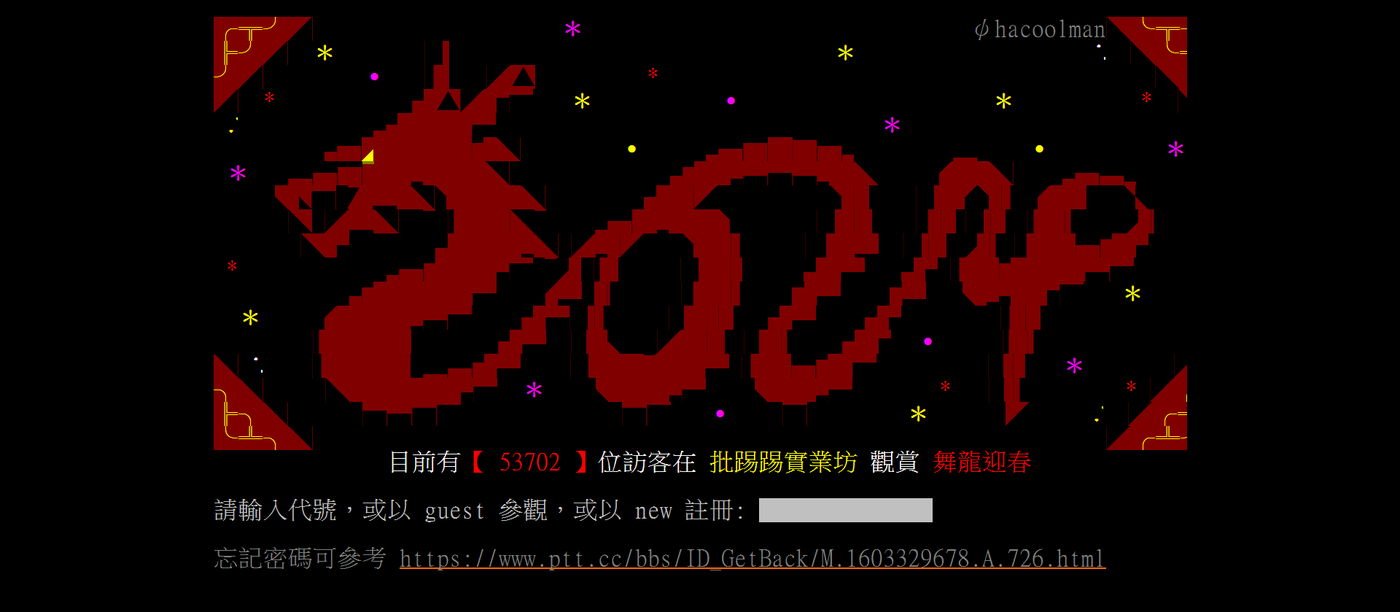
Case study: how PTT stayed alive in a dormitory
Suppose you use ssh to connect to a server, start a long training job, and then go home. If your network connection is lost, the program may be killed. The program is a child of your shell, so it can end when the terminal and everything attached to it are closed.
In the 1990s, PTT ran on Ethan Tu's PC in an NTU dormitory and was started manually from a terminal. To continue running after the administrator logged out, its login server called a daemonize() function that performed five steps:
fork(): the parent exits, the child keeps running in the background.setsid(): the child starts a new session with no terminal attached.fork()again: this is the double fork. It prevents the process from accidentally acquiring a terminal again, and it makes init the process's parent.- Redirect stdin, stdout, and stderr to
/dev/nullor a log file. A daemon has no screen, so its errors must be written to a file. - Write a PID file so administrators can find and stop it later.
Today: use systemd instead of writing this code yourself. On a modern server, you rarely write daemonize(). Instead, you write a service unit. Systemd, which is PID 1, handles the fork, redirection, environment, restart after a crash, and log capture:
[Service]
ExecStart=/usr/local/bin/myapp
Environment="API_KEY=sk-XXX"
Restart=always
Look again at the pstree output in Part 1. Databases, web servers, and the ssh daemon all appear directly below systemd(1). Now you know why. 😃
Part 5How many processes?
Consider the following two programs. Remember that every process that reaches fork() creates a child, and each child inherits the loop variable.
// loop.c
int main(void) {
    char *letters = "ABC";
    for (int i = 0; i < 3; i++) {
        printf("%d prints %c\n", getpid(), letters[i]);
        fork();
    }
    printf("%d finished\n", getpid());
    return 0;
}
// twice.c
int main(void) {
pid_t pid1 = fork();
pid_t pid2 = fork();
if (pid1 != 0 && pid2 != 0)
printf("Meow!\n"); // A
if (pid2 != 0)
printf("Ah!\n"); // B
return 0;
}loop.c, how many processes exist at the end? How many times are C and finished printed? For twice.c, how many times are Meow! and Ah! printed?Answers
loop.c: The number of processes changes from 1 → 2 → 4 → 8. A is printed once, B twice, C four times (because it is printed before the third fork), and finished eight times.
twice.c: There are four processes with four different (pid1, pid2) pairs. Condition A is true only in the original process, so Meow! is printed once. Condition B is true in the two processes that were parents in the second fork, so Ah! is printed twice.
| process | pid1 | pid2 | Meow! (A) | Ah! (B) |
|---|---|---|---|---|
| original | >0 | >0 | yes | yes |
| child of fork 1 | 0 | >0 | no | yes |
| child of fork 2 | >0 | 0 | no | no |
| grandchild | 0 | 0 | no | no |
Part 6The Unix philosophy: everything is a file
3 AM at TSMC Fab 2
Imagine that it is the early 2000s and you maintain hundreds of Windows servers for TSMC. At 3 AM, you receive a call: some servers are down, and you suspect that the air conditioning in one server room has failed. You need to identify the room and the affected machines. Checking 500 machines through a GUI requires repeating the same clicks 500 times. On Unix, one command is enough:
for i in server{1..500}; do
    echo -n "$i: "
    ssh $i "cat /sys/class/thermal/thermal_zone0/temp"
done | sort -n -k2 | tail -n2- In this command, the CPU temperature sensor is represented as a file (a virtual file that doesn't store any data), so
catcan read it. This shows us Unix's principle: Everything is a file. Running processes are represented by files under/proc, and disks are represented by files under/dev. In fact, recall that last week you usedls /proc/[PID]/fdto show a deleted file that a process still had open. - Another Unix principle is: Each program does one thing well, and multiple programs work together.
ssh,cat,sort, andtaildo not need to know anything about one another. They use only one common interface: a stream of plain text. This is exactly the idea behind shell scripting: a shell script connects small programs instead of implementing every task itself. (Lampson, Hints and Principles for Computer System Design, 3.2.1.)
The Windows approach
For twenty years, Microsoft's strategy was different: Microsoft provided a GUI tool for each task, while scripting received less attention. Windows administrators worked in this environment. In the mid-2000s, Microsoft engineer Jeffrey Snover argued that enterprise automation requires scripts rather than repeated mouse clicks. Despite doubts from management, he built PowerShell. His idea proved successful, and PowerShell became essential to Azure in the 2010s.

Microsoft, the company behind Windows, once saw Linux as a rival. Today it is one of the biggest contributors to the Linux Foundation, and its cloud, Azure, runs one of the largest Linux fleets on the planet. The Unix way of running servers won, even inside Microsoft.
One important difference remains. PowerShell passes .NET objects between commands, providing a structured API. Unix passes unstructured text. As Peter Salus wrote, "text streams are a universal interface": programs written in any language can read and write them. In two weeks, you will learn how the kernel connects these streams using pipes.
Part 7Static and dynamic linking: what exec actually loads
In walkthrough 1, execve loaded /usr/bin/ls into the child. The file contains less code than you might expect. The ldd command lists the libraries that a program needs at run time:
$ ls -l /bin/ls
-rwxr-xr-x 1 root root 142312 Aug 25 23:09 /bin/ls               # 142 KB
$ ldd /bin/ls
        libselinux.so.1 => /lib/x86_64-linux-gnu/libselinux.so.1
        libc.so.6 => /lib/x86_64-linux-gnu/libc.so.6              # 2.1 MB, and not inside ls
        libpcre2-8.so.0 => /lib/x86_64-linux-gnu/libpcre2-8.so.0
        /lib64/ld-linux-x86-64.so.2                               # the dynamic loader itself
ls is 142 KB. The 2.1 MB C library that provides functions such as printf and opendir is stored in a separate file. After execve but before main, a small program called the dynamic loader finds the required library files and maps them into the process. This section explains what happens during that period.
Linking is the process of combining a program with the libraries it uses. The library code can be copied into the program (this is called static linking), or the program can contain a reference to a library that will be found when the program runs (this is called dynamic linking).
Suppose your program, app1.c, calls meow(). The code for this function is in the libmeow library, which is installed in /usr/lib. The compiler translates your code but leaves a missing address where the address of meow() should be. Linking is the action of filling in this address.
Static linking (gcc -static) |
Dynamic linking (the default) | |
|---|---|---|
| Build time | the linker copies the library code into the executable and fills in the missing address | the linker writes a note, NEEDED libmeow.so, and leaves the address to be filled in later |
| On disk | there is one self-contained file: our 1 MB program + 3 MB library = 4 MB | there is a 1 MB executable that requires /usr/lib/libmeow.so to be present on the machine |
| Run time | execve maps the file, and then main starts |
execve first starts the loader; it finds libmeow.so in /usr/lib, maps the library into the process, fills in the address, and then starts main |
| Memory | each program has its own copy of the library code in DRAM | one copy of the .so is stored in DRAM and mapped by every process that uses it |
| Fixing a library bug | every program that contains a copy must be rebuilt and redistributed | one library file is replaced; every program receives the fix the next time it starts |
| Copying it to another machine | the program runs on any Linux machine, even an older one | the program runs only if a compatible version of the same library is installed |
How processes share a library
This memory sharing uses the same mechanism that you saw in Worksheet 2: entries in many page tables point to one physical frame. Library code is read-only, so each process does not need a separate copy. The following measurements from the instructor's Linux desktop show the percentage of running processes that map each library and the amount of memory saved through sharing:
| Library | Processes that map it | |
|---|---|---|
GCC runtime support (libgcc) |
57 % | |
| Cryptography | 55 % | |
| Compression (zlib, …) | 48 % | |
C standard library (libc) |
43 % | |
| C++ standard library | 42 % | |
| SSL / TLS | 37 % |
This is why Linux distributions provide almost everything as shared libraries: one copy of libc can serve every process on the machine.
libX library contains 3 MB of code. Programs A and B each contain 1 MB of their own code, and both use libX.
(a) What is their total disk usage with static linking and with dynamic linking?
(b) Now suppose 50 different programs, each with 1 MB of its own code, all use
libX, and one process runs each program. How much DRAM does the libX code use with static and dynamic linking?
(c) Two static binaries contain identical copies of
libX. Will the kernel share these pages between the binaries?Answer
(a) Static: (1 + 3) + (1 + 3) = 8 MB. Dynamic: 1 + 1 + 3 = 5 MB.
(b) Static: every program contains its own copy, so 50 × 3 = 150 MB. Dynamic: one 3 MB copy is mapped 50 times, so the total is 3 MB.
(c) No. The kernel shares pages from one file among the processes that map that file. It does not compare the contents of pages from different files, so identical copies in two executables remain separate copies.
So which one should you use?
The following examples show when each approach is useful.
- Heartbleed, 2014. A bug in OpenSSL allowed attackers to read a server's memory. Ubuntu fixed the problem by distributing one new
libssl.so. After a restart, every dynamically linked program on an updated machine used the fixed library. Programs that had statically linked OpenSSL remained vulnerable until each vendor rebuilt and redistributed them. A library used by many programs should usually be shared. - fzf, ripgrep, Docker. Command-line tools written in Go and Rust are often distributed as a single static binary. You can download one file, run
chmod +x, and use it on any Linux machine. There is no missing.soand no "versionGLIBC_2.34not found" error when the machine has an older libc than the build machine. A tool distributed to many different machines is often safer as a static binary.
LD_PRELOAD trick: see what fun things you can do.
Self-checkLearning goals
Check each item that you can complete without referring to the worksheet. The Sept. 30 quiz covers the following topics. (Your progress is saved only in this browser.)
AttributionCredits
- The course illustrations of Nini are NTHU CS Operating Systems course material (Tony Chen / Yun-Chih Chen), licensed under CC BY 4.0. The cat art is from Freepik and ChatGPT.
- "Animated GNU Bash Unix Shell Prompt" by Kxxvii, Wikimedia Commons, CC0.
- The "PTT login screen" (June 2024) is a screenshot of the GPL-licensed pttbbs, with ANSI art signed by hacoolman. Source: Wikimedia Commons, GPL.
- The API key, YouBike, Docker, and PTT daemonize examples are adapted from the course lab Process creation. The TSMC, PowerShell, and everything-is-a-file material is adapted from the Unix philosophy handout (Fall 2025). The footprint quiz and trade-off readings are from the Static vs dynamic linking lab and its Codespace repository. The library-sharing percentages were measured on the instructor's Linux desktop. The PowerShell story comes from the Corecursive podcast.
- Further reading: OSTEP, The Abstraction: The Process and The Process API; Lampson, Hints and Principles for Computer System Design (2021).
- Jeffrey Snover interview thumbnail: from the YouTube video "Architecting Systems That Last" by Hassan Habib, used as a link preview.
- "Microsoft loves Linux" image: from The Hacker News, "Microsoft Joins The Linux Foundation" (November 2016), used as a link preview.
- See
images/CREDITS.mdfor the complete list of image sizes and sources.

