Worksheet 6
In Week 4 the timer interrupt gave the CPU back to the kernel every millisecond. Each time, the kernel has to answer one question: who runs next? The part of the kernel that answers it is the scheduler. Read the worksheet and use the self-check at the end to prepare for the Oct. 19 midterm.

There is no video lecture this week. Everything you need is on this page and in the walkthroughs.
Part 1What does a scheduler decide?
Right now your laptop is running Chrome, VS Code, Spotify, and a few hundred background processes. But one CPU core can run only one of them at a time. In Worksheet 4 you saw how the kernel takes the CPU back: a timer interrupt, or a process that blocks in a slow system call. Then the kernel has to pick the next process. The code that makes this choice is the scheduler, and the rule a scheduler follows is called the scheduling policy.
A good way to think about it is your own homework. You have several assignments with different deadlines and different weights. Professors keep giving you new homework while you are still working on the old ones.
 Capoo (you) = the CPU
 Dogdog (the professor) = new work arrives📄 An assignment = a process🗂️ The tray = the ready queue
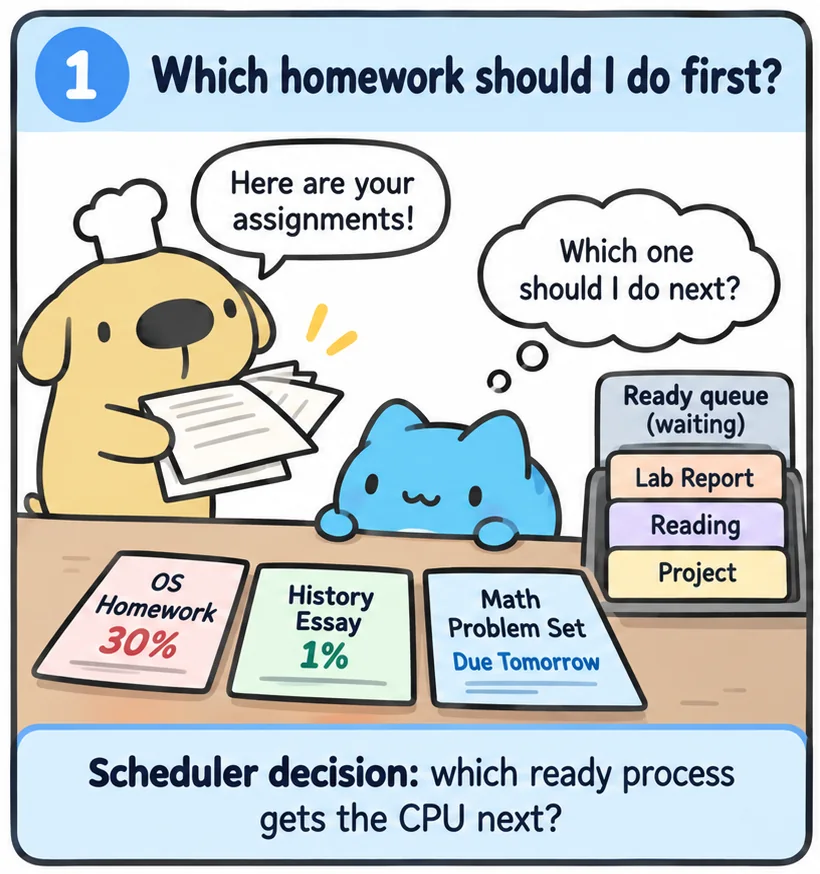
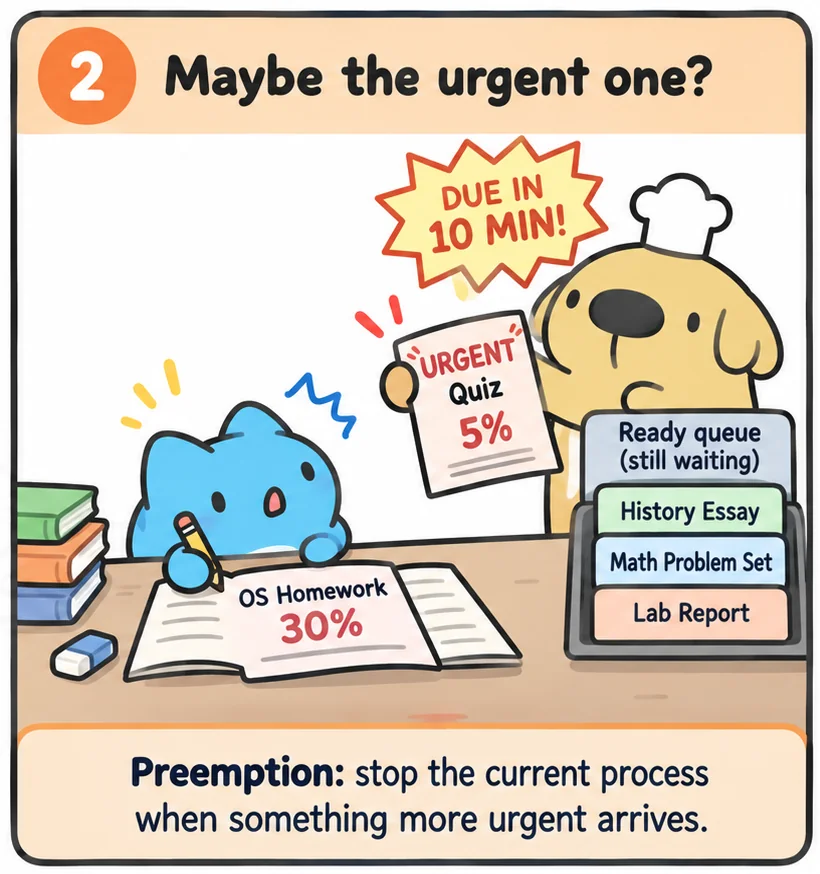
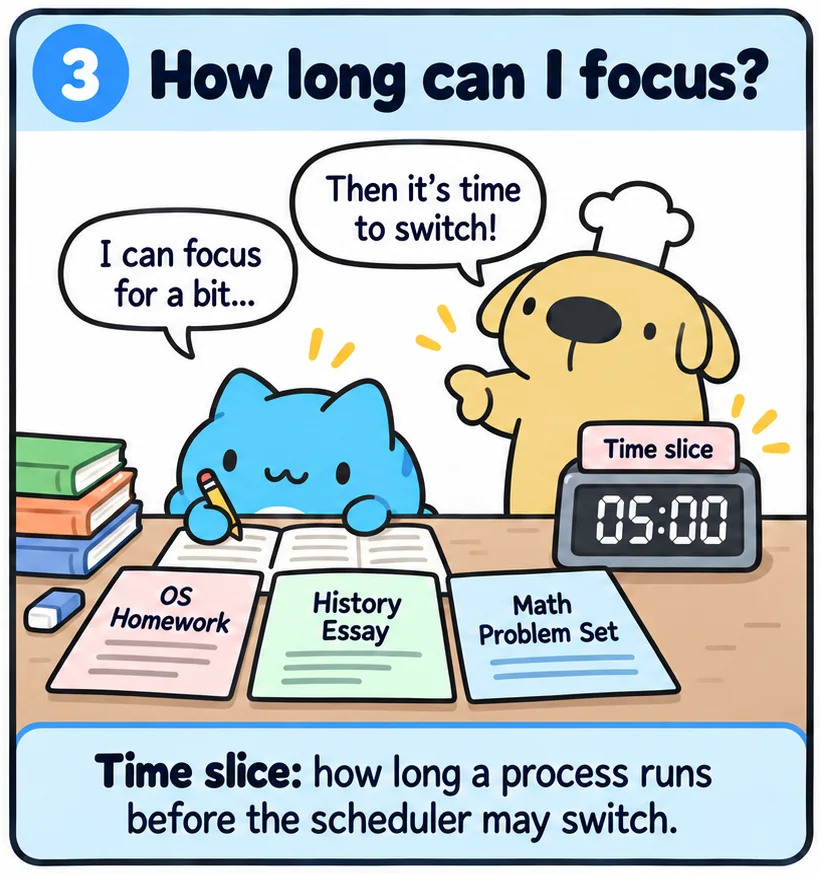
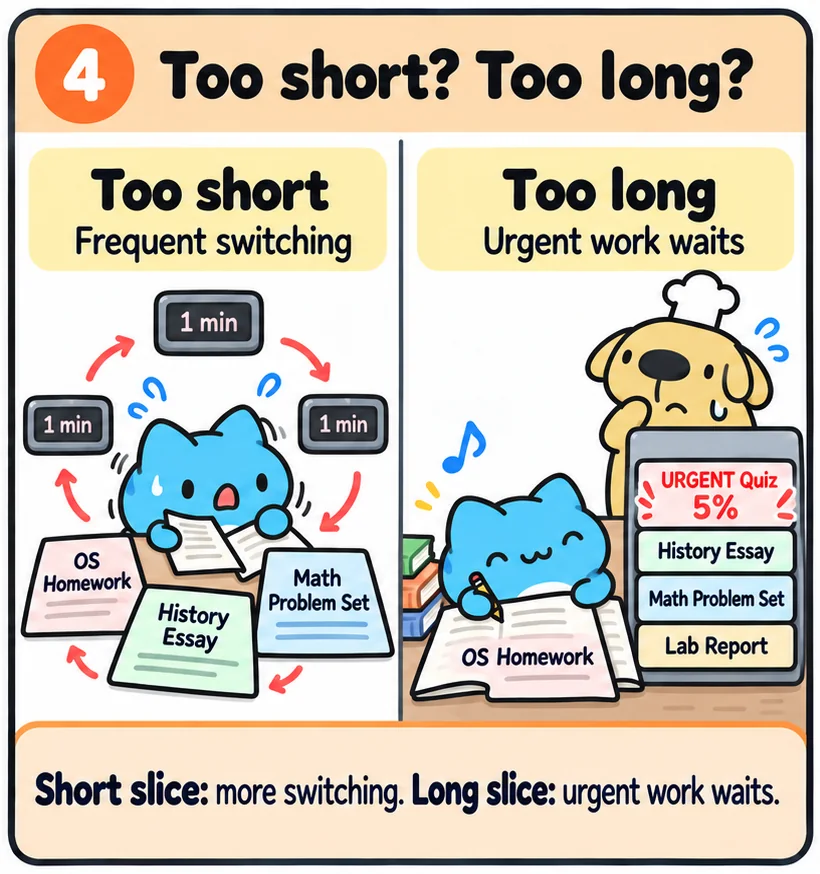
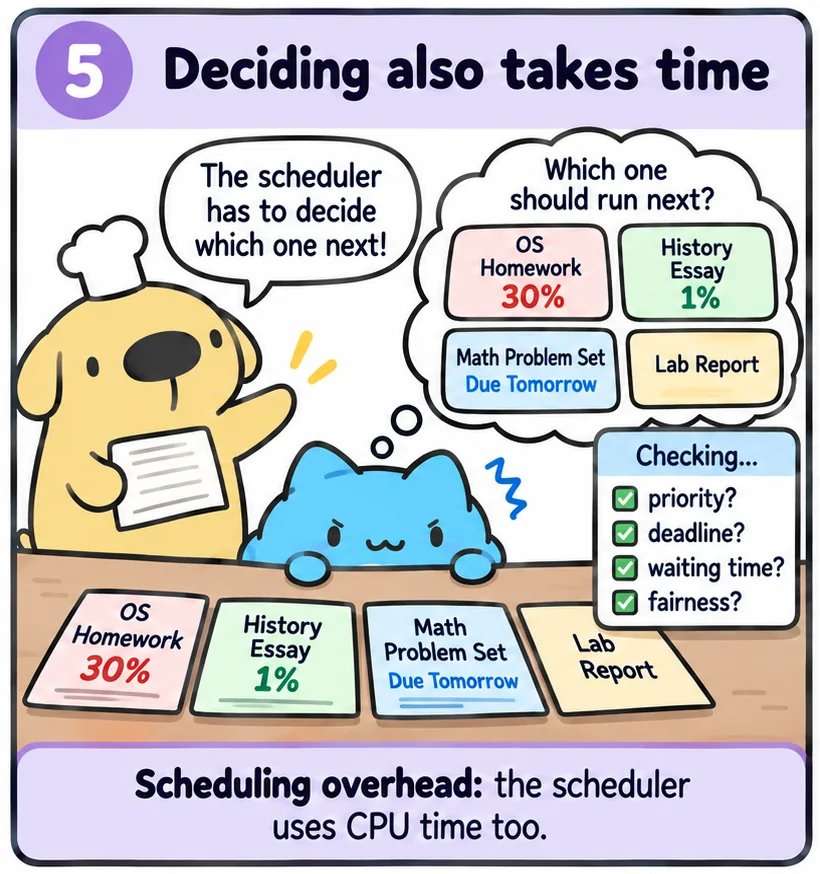
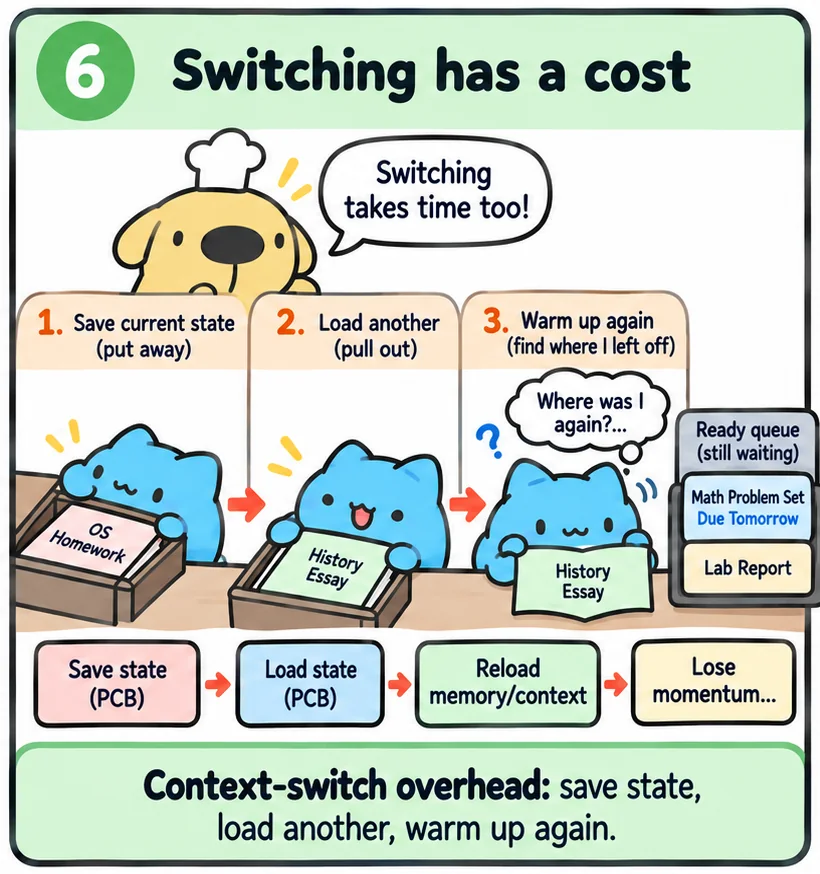
The homework analogy is adapted from Prof. Shiao-Li Tsao's lecture on process management (NYCU). Click the comic and use ← →, or swipe on a phone.
CPU bursts and I/O bursts
A scheduler cannot treat all programs the same way, because programs don't behave the same way. A running program alternates between two phases. In a CPU burst it computes. In an I/O burst it waits for something, like a disk read or your next keystroke. While it waits, it sleeps and needs no CPU at all. How much CPU time a CPU burst takes is called its burst time, or simply its burst. For example, a program that computes for 6 ms before it waits again has a 6 ms burst.
- I/O-bound programs have many short CPU bursts and long waits. VS Code is a good example. It spends almost all its time waiting for you to type. Most interactive programs are like this.
- CPU-bound programs have long CPU bursts and rarely wait. Compiling code, rendering a video, and training a model are like this.
The compiler wants a lot of CPU time (because most of its work is arithmetic). The editor wants only a little CPU time, but it wants it right now, because you (an impatient human) are looking at the screen. How can one scheduler satisfy two such different demands?
Exercise: I/O-bound or CPU-bound?
Part 2Goals: what makes a schedule good?
How do we know one scheduler is better than another? We need some metrics. Here a job simply means a process, or one CPU burst of a process. A job's burst is the CPU time it needs to finish.
| Metric | Formula | What it means, and who cares |
|---|---|---|
| Turnaround time | done − arrive |
From the moment you hit Enter until the job is completely finished. You care about it when you wait for a build. |
| Response time | first run − arrive |
How long until the job gets the CPU for the first time. You care about it when you type and wait for the letter to appear. |
| Waiting time | turnaround − burst |
The total time the job spent sitting in the ready queue. This is the time the scheduler "wasted" for this job. |
| Throughput | jobs done ÷ time | How much work the whole machine finishes per second. The owner of a server farm cares about this. |
| CPU utilization | useful time ÷ total time | The share of time the CPU does real work, not idling and not switching. |
| Fairness | Every job gets its share of the CPU. No job waits forever. A job that waits forever is starving. |
Let's see an example. Below, Capoo arrives at t = 2 while Dog is running. Capoo first runs at t = 5, gets preempted at 7, runs again from 9, and finishes at 11. Capoo needs 4 ms of CPU in total, so his burst is 4 ms.
You can't have everything: response time vs. throughput
You press t in VS Code, and 2 seconds later the t appears. That is laggy!! (´・_・`) The system has a bad response time. On the other hand, you want your code to compile in 3 seconds, not 5. That is throughput.
Unfortunately, you usually can't get both low response time and high throughput. To respond fast, the scheduler must interrupt long-running work often, so that a keystroke never waits long. But every interruption is a context switch, and every switch costs time. That time lowers the throughput of long-running work.
Response time is VERY IMPORTANT in real-time systems, such as a car's braking controller, where a job must finish before a deadline. If the deadline is missed, people can die.
Answer
Response = first run − arrive = 3 − 1 = 2 ms. Turnaround = done − arrive = 5 − 1 = 4 ms. Waiting = turnaround − burst = 4 − 2 = 2 ms. B never got preempted, so here the waiting time equals the response time. That is not true in general. In the figure above, Capoo's waiting time is 5 ms, but his response time is only 3 ms.
Part 3Preemptive vs. non-preemptive scheduling
When is the scheduler allowed to make a decision? There are two answers, and they lead to two very different systems.
- In preemptive scheduling, the kernel can stop a running process at any time and give the CPU to another one, even if the first one isn't finished. The timer interrupt makes this possible.
- In non-preemptive, or cooperative, scheduling, a process keeps the CPU until it gives it up by itself. It might finish, block on I/O, or call
yield(). If the process 站著毛坑不拉屎, the whole system just hangs there.
A process moves between a few states. It is running on the CPU, ready and waiting for the CPU, or waiting (sleeping) for I/O.
Cooperative scheduling in the early days
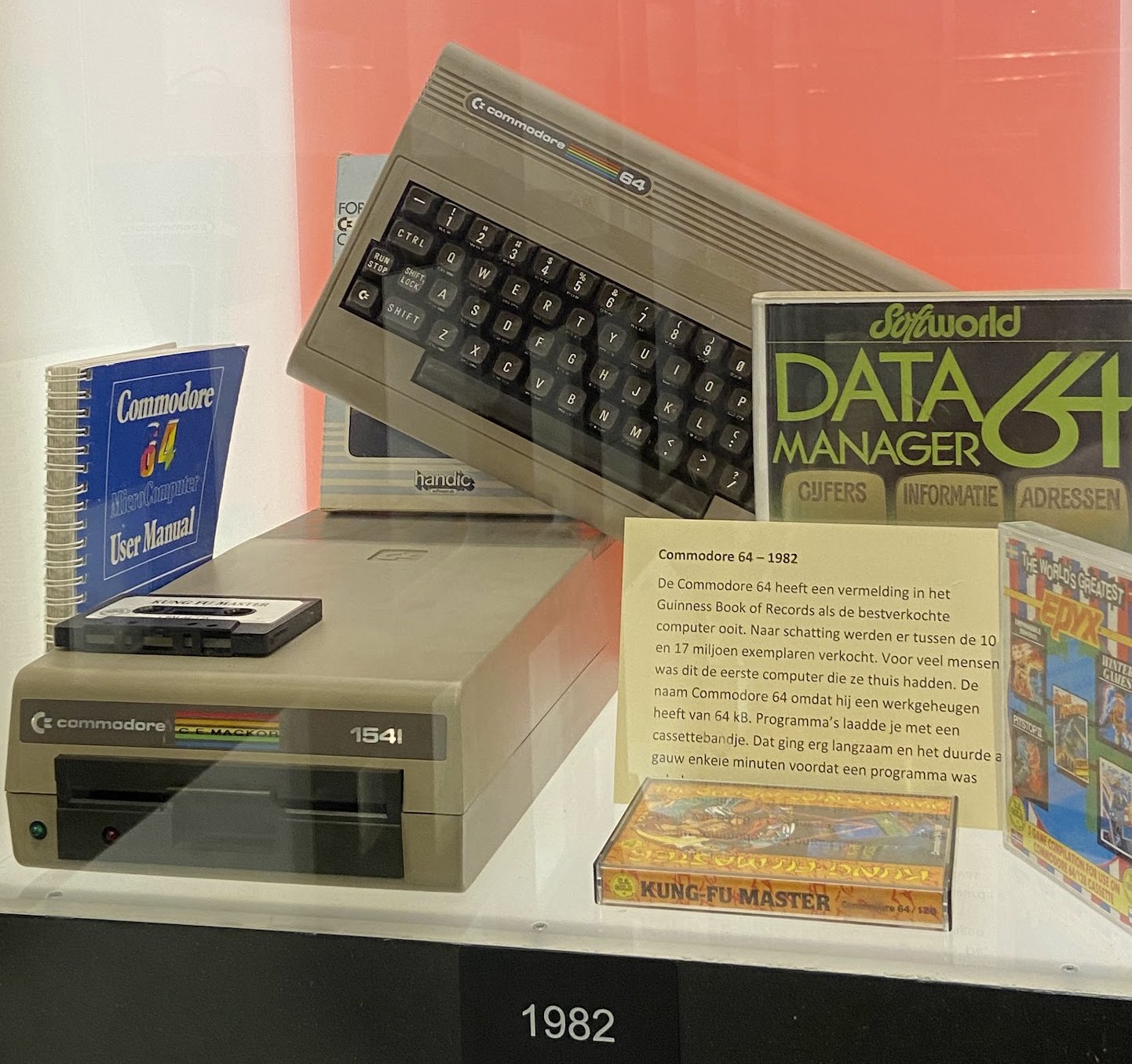
Early personal computers were tiny by today's standards. The Apple Mac (System 6 and 7, 1988–1991) and PCs running DOS and Windows 3.x often had less than 1 MB of RAM and a slow processor, like the Mac's Motorola 68000. Users typically ran one main application at a time, like Word or Photoshop. These systems used cooperative scheduling. It avoided the cost of frequent timer interrupts and context switches, which were noticeable on such slow hardware.
The price was that the foreground application got all the CPU time. If Photoshop was drawing a complex image, your email program would not fetch new mail until Photoshop finished and gave the CPU back. And if Word got stuck in a loop, the whole machine froze. Only a reboot could fix it.

Preemption protects everyone from one bad program
On your own Mac in 1990, a frozen Word was annoying, but you were the only user. You just rebooted. That is not OK when a computer is shared. On early Unix machines, many users logged into the same computer. The kernel had no control over what programs they ran, and it couldn't trust all of them to give the CPU back. One user's infinite loop would lock out everybody else.
So Unix had to use preemptive scheduling. This is still true today. A data-center server may run thousands of processes from many customers on a machine with more than 100 cores. If one customer is mining crypto, that customer must not be able to take over the whole machine.
With preemption, the kernel's control over the CPU doesn't depend on programs being nice. But preemption has a price too. A process can now be stopped in the middle of anything, even halfway through updating data it shares with another process. You will meet this problem again when we study synchronization.
Part 4FIFO, SJF and STCF
Now let's look at actual policies. To keep things simple at first, assume one CPU, and jobs that only compute and never do I/O. Also assume we know how much CPU each job needs, its burst. We will drop these assumptions one by one.
FIFO: first in, first out
The simplest policy is FIFO, also called FCFS (first come, first served). The job that arrived first runs first, until it is done. It is simple and it feels fair.
But FIFO has a big problem. Say three jobs arrive at the same time, in this order. Dog needs 60 ms of CPU. Capoo and Mika need only 6 ms each. FIFO runs Dog first. So Capoo and Mika wait 60 ms for 6 ms of work.
SJF: shortest job first
SJF runs the job with the smallest burst first. With the same three jobs as above, SJF runs Capoo, then Mika, then Dog. Average turnaround drops from 66 ms to 30 ms. Dog finishes a bit later (at 72 instead of 60), but everyone else finishes much sooner.
Why does short-first win? Each job's turnaround includes the bursts of all the jobs that ran before it. So a long burst near the front gets added into many turnarounds, but at the back it is added only once. When all jobs arrive together, SJF gives the smallest possible average turnaround.
STCF: SJF with preemption
But jobs don't all arrive together. Suppose Capoo and Mika arrive at t = 6, when Dog is already running. SJF is non-preemptive. It only decides when the CPU is free, so it can't stop Dog. The short jobs are stuck behind Dog again, and the average goes back up to 62 ms.
The fix is to let the scheduler decide again when a new job arrives. STCF (shortest time-to-completion first) compares the new job with the work the running job still has left. If the new job is shorter, the running job is preempted. With STCF the average is back to 30 ms, and average response time is just 2 ms.
Open walkthrough 1 ▶ 18 steps · use ← → keys · press E for the explanation
Dog, Capoo and Mika go shopping at a 7-Eleven  . Click the buttons (Hint: the faces on each button are in the order the three finish.)
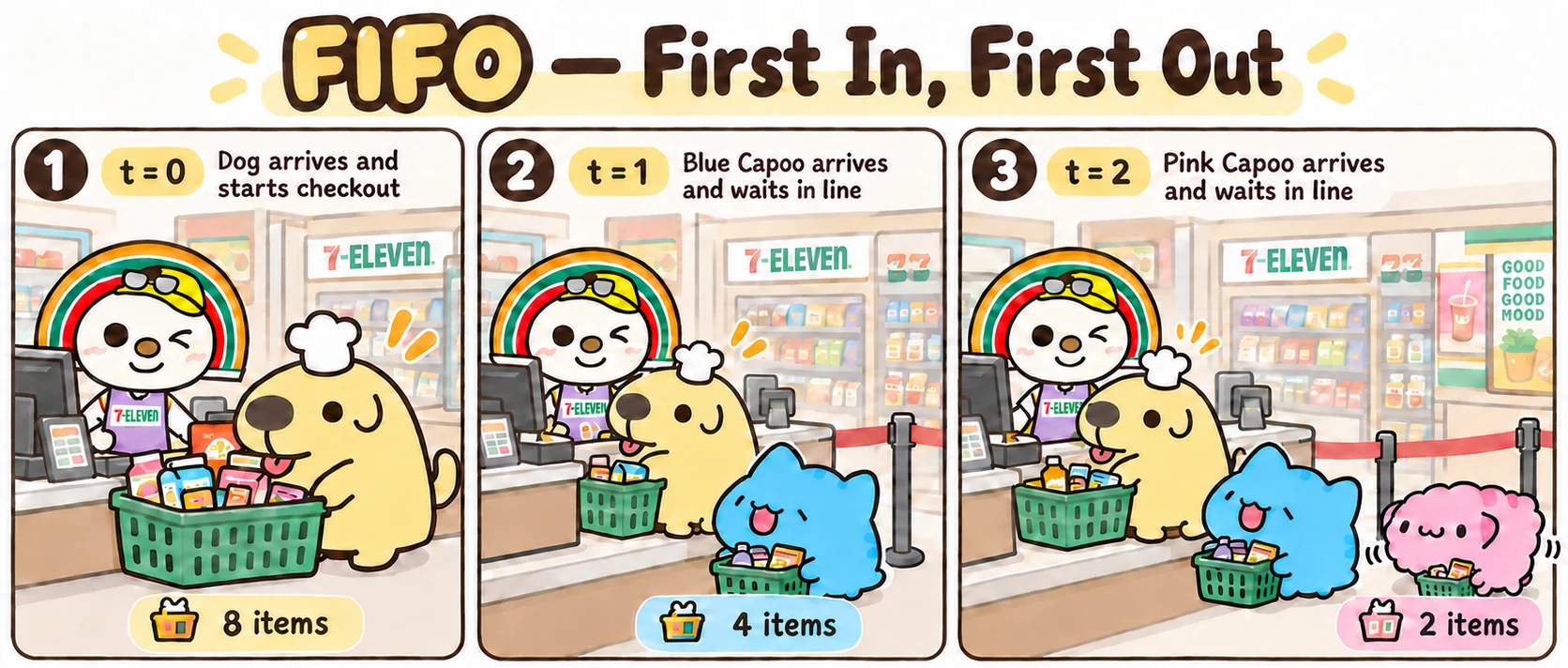
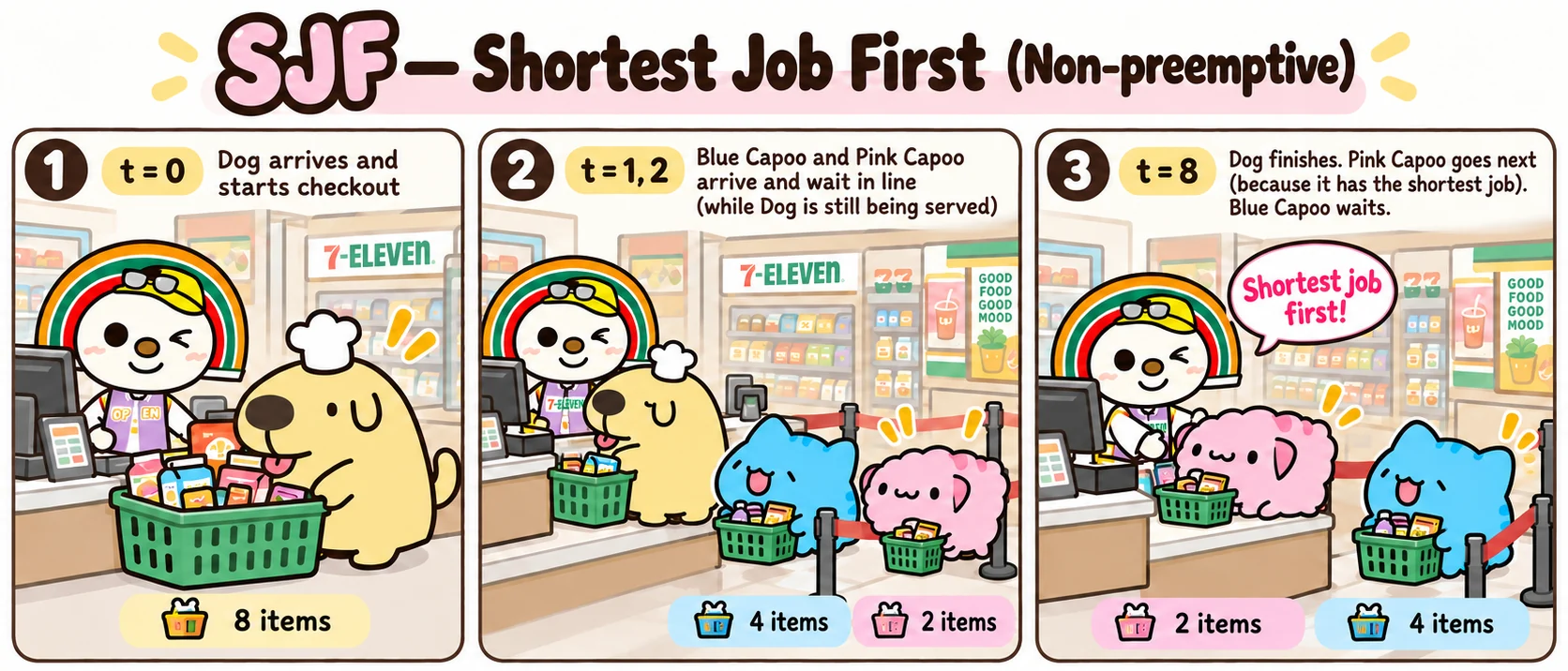
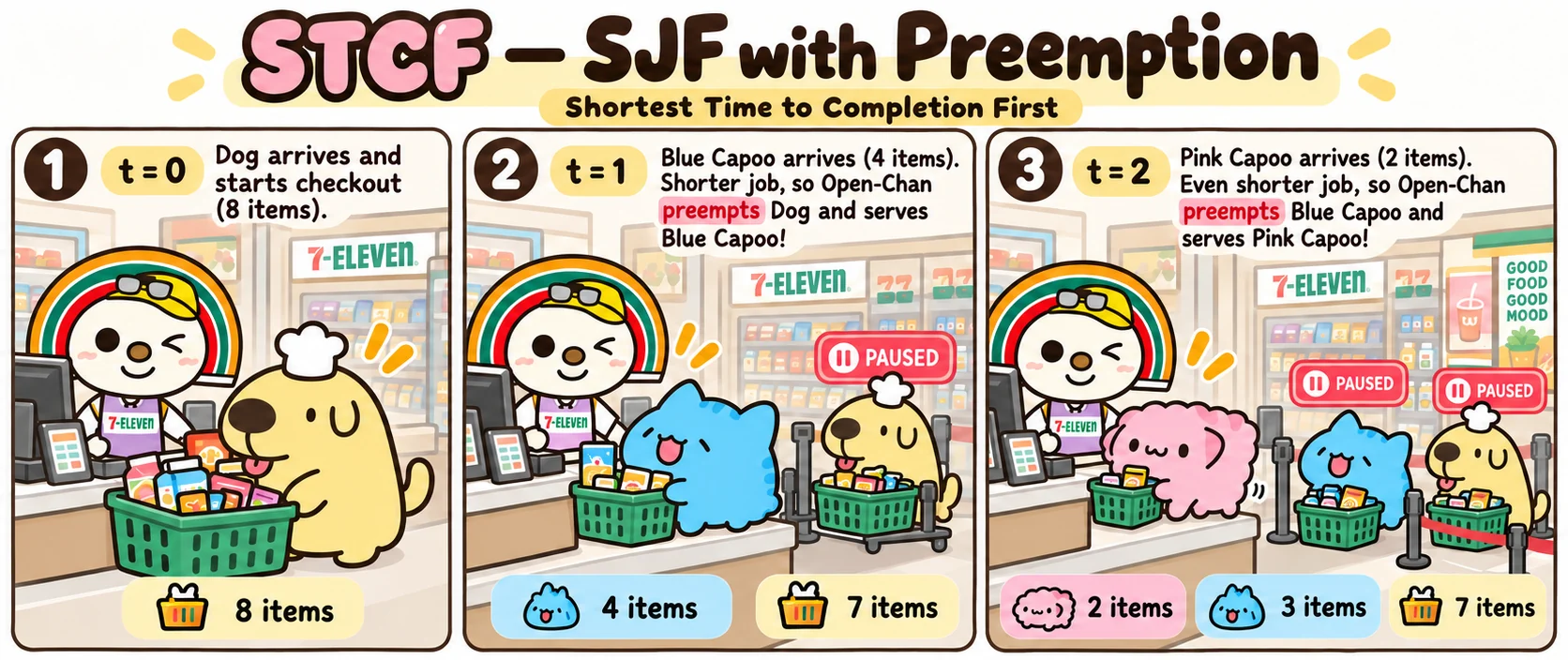
Answer
| Dog turnaround |
Capoo turnaround |
Mika turnaround |
average turnaround | average response | |
|---|---|---|---|---|---|
| FIFO | 8 − 0 = 8 | 12 − 1 = 11 | 14 − 2 = 12 | 10.33 | (0 + 7 + 10) ÷ 3 = 5.67 |
| SJF | 8 − 0 = 8 | 14 − 1 = 13 | 10 − 2 = 8 | 9.67 | (0 + 9 + 6) ÷ 3 = 5 |
| STCF | 14 − 0 = 14 | 7 − 1 = 6 | 4 − 2 = 2 | 7.33 | (0 + 0 + 0) ÷ 3 = 0 |
STCF wins on both averages. Everyone gets served the moment they arrive. But look at Dog. Under FIFO and SJF Dog was done at 8. Under STCF Dog is done at 14, almost twice as long. That's the price of putting short jobs first: the long job pays for everyone else.
Answer
Dog runs 0 → 6. Capoo arrives at 6 and preempts Dog (6 < 54), so Capoo runs 6 → 12. Dog resumes at 12. At t = 30, Dog still has 36 ms left and Mika needs 6, so Mika preempts Dog and runs 30 → 36. Her response time is 0. Dog finishes at 72. Turnarounds: Dog: 72, Capoo: 6, Mika: 6. Average = 84 / 3 = 28 ms.
But how does the scheduler know the burst?
It doesn't! SJF and STCF need to know how long a job will run before it runs. The kernel has no idea. All it can do is guess from the past. A common guess is an average of the recent bursts, where newer bursts count more:
next guess = α × last burst + (1 − α) × previous guess
For example, with α = ½: the previous guess was 10 ms and the burst that just ended took 6 ms. So the next guess is ½ × 6 + ½ × 10 = 8 ms. A process that keeps doing short bursts quickly gets a short guess. There is also a fairness problem. If short jobs keep arriving, a long job may never run under SJF. It starves.
Part 5Round robin
SJF and STCF are great for turnaround. But think about three people typing in three terminals at the same time. With FIFO or SJF, the third person sees nothing until the other two jobs are completely done. For interactive use, response time matters more.
Enter round robin (RR) 🎊. Each job runs for at most one time slice (also called a quantum), say 1 ms. When the slice is used up, the timer interrupt fires, and the job goes to the back of the ready queue. The next job gets a turn. So everybody gets a little bit of the CPU very soon.
RR improves average response from 4 ms to 1 ms. But average turnaround gets worse, from 8 ms to 11 ms, because every job is stretched over almost the whole run. RR is good for response time and bad for turnaround.
How long should a slice be?
Every switch costs time. The kernel saves registers, runs the scheduler, and loads the next process. After that, the new process runs with a cold cache for a while. If the slice is tiny, the CPU spends a big part of its time switching. If the slice is huge, RR becomes FIFO, and response time is bad again.
So the slice should be much longer than a switch, so the overhead stays at a few percent. But it should also be short enough that a person doesn't notice the wait. A real context switch takes a few microseconds, and typical slices are a few milliseconds. That leaves room for both.
RR also works well with I/O. When an I/O-bound job like an editor blocks, it leaves the ready queue completely. Meanwhile a CPU-bound job uses the CPU. The CPU is not idle while the editor waits for your next key. But plain RR treats a job that just woke up like everyone else. So the editor may still wait for the rest of the compiler's slice. Part 6 fixes this.
Open walkthrough 2 ▶ 16 steps
Answer
The CPU runs Dog 0 → 2, Capoo 2 → 4, Mika 4 → 6, Dog 6 → 8 (done), Capoo 8 → 10 (done), Mika 10 → 12 (done). Response times: 0, 2, 4, so the average is 2 ms. Turnarounds: 8, 10, 12, so the average is 10 ms. That is between q = 1 (response 1, turnaround 11) and FIFO (response 4, turnaround 8), as you would expect.
Part 6Priority scheduling
Not all jobs are equally important. In priority scheduling, every process has a priority, and the scheduler always picks the ready process with the highest priority. If a more important process becomes ready, it preempts the running one.
累擱 (lag)
Have you had this experience? You play a shooting game, which is CPU-bound, and you try to type a chat message. But the letters take a long time to appear on screen. Each key you press creates a tiny task: show this letter. That task needs maybe half a millisecond. If the scheduler doesn't pause the game right away, the keypress waits. And you feel the lag.
So schedulers raise the priority of interactive programs. When you press a key, the kernel wakes up the editor, gives it a high priority, and the scheduler immediately preempts the game. The editor runs its tiny burst and goes back to sleep. The game barely notices. Your computer feels responsive even with a CPU-hungry program running in the background.
Starvation and aging
If high-priority processes keep arriving, a low-priority process might never get a chance to run. This is called starvation.
To prevent this, operating systems use dynamic priorities. A process's priority is not fixed. It can change over its lifetime. For example, a process that has been waiting a long time gets its priority raised step by step. This is called aging. Eventually every process becomes important enough to run.
This gives us two more goals for priority scheduling:
- Fairness: every process gets CPU time in proportion to its priority.
- Liveness: even the lowest-priority process runs within a finite amount of time. In other words, liveness means free from starvation.
Open walkthrough 3 ▶ 14 steps
nice: priority in Linux
In Linux, every process has a nice value that sets its priority. It's called "nice" because a process with a higher nice value is nicer to everybody else: it voluntarily runs at a lower priority. So careful: in Linux, a bigger number means less important.
- −20 is the highest priority, the least nice.
- +19 is the lowest priority, the nicest.
- 0 is the default. A child inherits its parent's nice value.
If you want to compile a big project or render a 4K video without making your desktop laggy, start it with a high nice value:
$ nice -n 15 ./my-video-encoder
$ renice -n 19 -p 4242      # make a running process even nicer
A normal user can only make a process nicer. Asking for a negative nice value needs root, otherwise everybody would just give themselves −20.
Part 7The Completely Fair Scheduler (CFS)
CFS was the standard Linux scheduler until Linux 6.6 (2023), and its ideas are still in the kernel today. Its goal is to ensure fairness. If one process is running, it gets 100% of the CPU. If two are running, each gets 50%. If four are running, each gets 25%, and so on.
Of course, a CPU can't literally run four processes at 25% speed at the same time. It runs one at a time. CFS keeps track of how far behind each process is, and always runs the one that is most behind.
vruntime: who is most behind?
Instead of fixed time slices like round robin, CFS gives every process a vruntime (virtual runtime). It counts how much CPU time the process has received so far. CFS always picks the process with the lowest vruntime to run next. So a process that has had less CPU than the others is picked first, until it catches up.
vruntime is weighted by nice
The nice value decides how fast a process's vruntime grows. Each nice value maps to a weight. Nice 0 has weight 1024, and each nice level changes the weight by about 1.25×. While a process runs, its vruntime grows by:
Δvruntime = Δruntime × 1024 / weight
A high-priority process (low or negative nice) has a big weight, so its vruntime grows more slowly. It stays among the smallest vruntimes for longer, so the scheduler picks it more often. On the other hand, a low-priority process (high nice) has a small weight, so its vruntime grows more quickly. So it gets picked less often. But it still gets picked: its vruntime stops growing while it waits, and the others catch up. CFS gives more CPU to important processes without ever starving the unimportant ones.
How long does a process run once it is picked? CFS tries to run every runnable process once within a period called the scheduling latency. Its base value is 6 ms, and the kernel scales it up on machines with more CPUs. Each process's slice is its share of that period: slice = latency × weight / total weight. So more runnable processes means shorter slices.
Answer
The weights are 1024 and 335. Shares are proportional to weight: 1024 / (1024 + 335) ≈ 75% and 335 / 1359 ≈ 25%. If both have nice 5, the weights are equal, so each gets 50%. Nice values only matter relative to the other processes. A lone process with nice 19 still gets the whole CPU.
Optional reading: How CFS picks the next process with a red-black tree
The scheduler runs thousands of times per second, so picking the next process must be cheap. CFS keeps its run queue in a red-black tree sorted by vruntime. The process with the smallest vruntime is always the leftmost node, and the kernel keeps a pointer to it. So picking is O(1), and putting a process back into the tree is O(log n).
When the timer interrupt fires, CFS updates the running process's vruntime. If the process has used up its slice and another process is waiting, it is preempted. It is also preempted when another process becomes ready with a clearly smaller vruntime.
Optional reading: what replaced CFS in Linux 6.6?
Since Linux 6.6 (2023), the default scheduler for normal processes is EEVDF (Earliest Eligible Virtual Deadline First). It keeps the parts you learned here: vruntime and the nice weights. It also keeps the red-black tree from the optional reading. What changes is the pick rule. Each process gets a virtual deadline based on how long a slice it asks for. Among the processes that are not ahead of their fair share, EEVDF runs the one with the earliest deadline. This makes it easier to give latency-sensitive processes short, frequent turns, without the special-case rules that CFS had collected over the years.
Part 8Multi-core scheduling (optional reading)
Optional reading: one run queue per core, cache affinity, load balancing, and taskset
On a multi-core CPU, the scheduler doesn't just pick the next process. It also has to decide which core runs it. That turns out to be tricky because of caches.
Say process A runs on Core 0 and fills Core 0's fast L1 and L2 caches with its data. Then a timer interrupt preempts it, and process B runs on Core 0. Now A waits in the run queue, while Core 1 is idle. Should A move to Core 1? This is called task migration. On Core 1, A starts with a cold cache, and all its data has to come from slow main memory again. So the scheduler often prefers to let A wait a little and resume on Core 0, where its data is still hot. The time saved by cache hits can be bigger than the time saved by starting a few microseconds earlier.
One queue for everyone, or one queue per core?
- One shared run queue is simple and keeps every core busy. But every core must lock the same queue on every decision, which gets slow with many cores. Processes also jump between cores, which hurts the caches.
- One run queue per core is what Linux does. A core only looks at its own queue on a context switch, so it's fast. Processes tend to stay on the same core, so their caches stay warm. The cost is load imbalance: one core may be busy all the time, while its neighbor stays 躺平.
So Linux runs load balancing now and then. It moves processes from busy cores to idle ones, which is also called work stealing. The goal is to be work-conserving, meaning no core sits idle while work is waiting somewhere. But balancing costs time too, and it fights with cache affinity. Getting this right is surprisingly hard. The paper "The Linux Scheduler: a Decade of Wasted Cores" found load-balancing bugs that left cores idle while runnable threads waited on other cores.
CPU affinity
The scheduler's preference for keeping a process on the core with its hot cache is called soft affinity. It is best effort, and the scheduler can override it to balance the load. You can also force a process to run on specific cores. This is called pinning, or hard affinity:
$ taskset -c 0 ./my-process # only ever run on core 0
Pinning can improve a process's cache hit rate. But the scheduler can no longer move it, even when another core is idle.
Midterm
- When: Monday, Oct. 19, 10:00–12:00.
- What: Week 1 to Week 6, including this worksheet.
- Problems: variants of Quiz 1 to Quiz 4.
- How to prepare: study the worksheets and redo the quizzes.

流淚灑種的必歡呼收割
加油!加油!加油!
Self-checkLearning goals
Check each item that you can do without looking at the worksheet. The midterm covers these topics. (Progress is stored only in this browser.)
AttributionCredits
- The course illustrations of Nini are NTHU CS Operating Systems course material (Tony Chen / Yun-Chih Chen), licensed under CC BY 4.0. The cat art is from Freepik and ChatGPT. See
images/CREDITS.mdfor sizes and sources. - The museum photos were taken by the instructor at the Museum of the 20th Century in Hoorn, Netherlands.
- The homework analogy in Part 1 is adapted from Prof. Shiao-Li Tsao's Process Management lecture (NYCU OpenCourseWare). The six-frame homework comic was drawn for this worksheet with BugCat-Capoo and his friend Dogdog. Both characters are by Yara (亞拉). The two small portraits come from Yara's LINE stickers and Dogdog's official picture. The animation at the top of the page uses the same two characters. The sad cat and the "Yes! You Can!" picture in the midterm section were made for this course with the same cast.
- The three 7-Eleven comic strips in Part 4 were drawn for this worksheet with the same characters. 7-ELEVEN and OPEN-chan (OPEN小將) are trademarks of their owners and appear only as part of the story. The checkout lanes under the strips are drawn to scale by
_tools/figs.py. - The nice-to-weight table is
sched_prio_to_weight[]in the Linux kernel (kernel/sched/core.c). The CFS and EEVDF descriptions follow the kernel documentation, CFS Scheduler and EEVDF Scheduler, simplified for teaching. - Lozi et al., "The Linux Scheduler: a Decade of Wasted Cores", EuroSys 2016.
- All timelines and charts are inline SVG generated from the small simulator in
_tools/, so every number on this page can be checked.