Worksheet 8
The operating system gives each process the illusion that it owns all of the computer's memory, but in fact many processes share the same DRAM. This week, let's learn how this indirection works: the page table that maps each address to RAM, the kernel that writes it, the MMU (the CPU's translation hardware) that follows it, and the TLB that makes it fast. All of it is exactly what you need for xv6 Lab 2. Read the worksheet and use the self-check at the end to prepare for the next quiz. 英文疲倦?試試看中文版!
💸 Memory has always been expensive. 1953 vs 2026 (click to open)
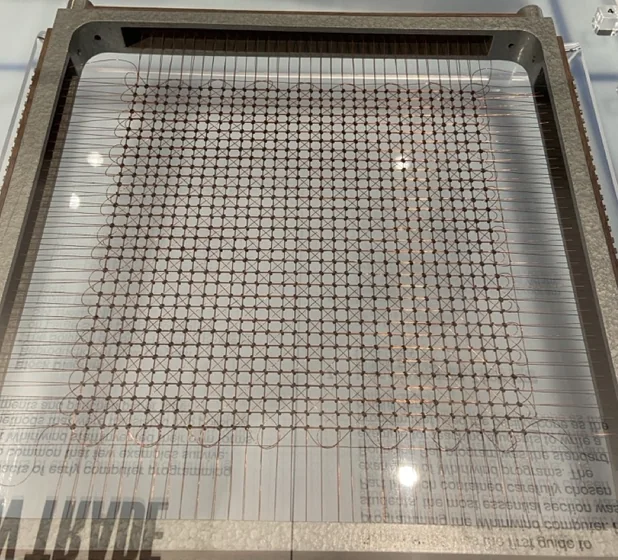
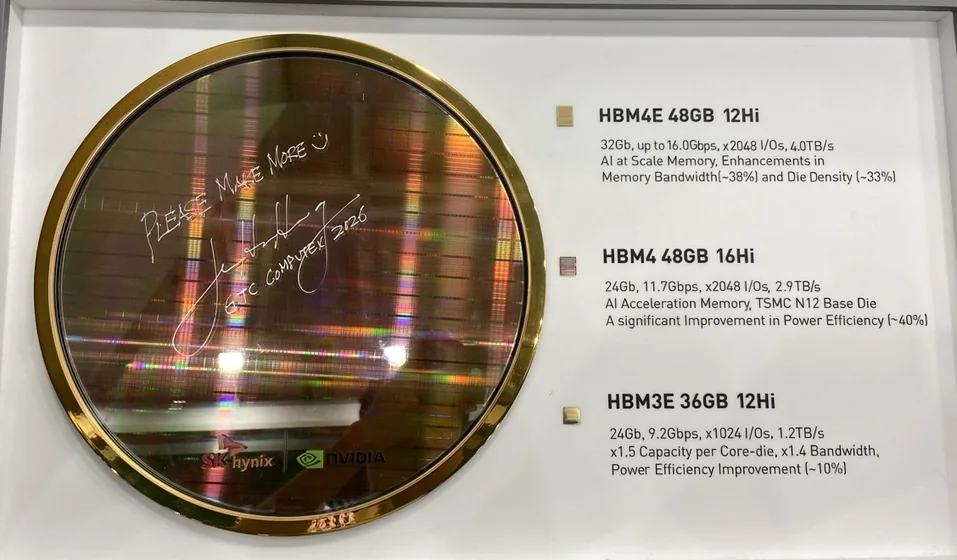
There is never enough memory. That is why the operating system shares it so carefully.
Part 1One address, two values
Here is a tiny C program. It stores its first argument in a global variable, counter, then prints the variable's address and its value three times, once per second.
int counter = 0;

int main(int argc, char **argv) {
    counter = atoi(argv[1]);
    for (int i = 0; i < 3; i++) {
        printf("[pid %d] &counter = %p, counter = %d\n", getpid(), (void *)&counter, counter);
        sleep(1);
    }
}
I built it as a fixed-address executable (gcc -no-pie), so every copy puts counter at the same virtual address, and started two copies at once:
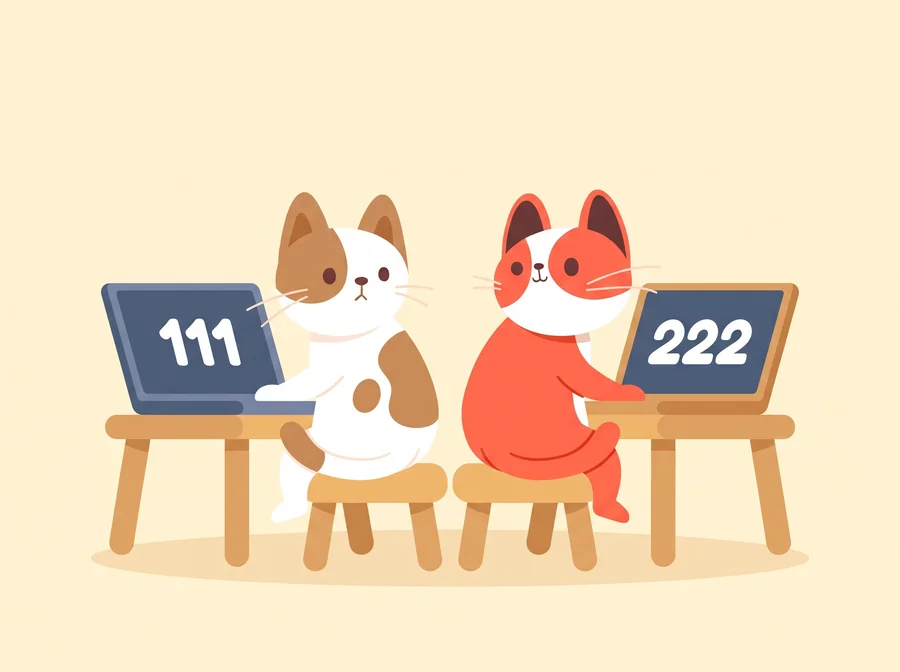
$ ./same 111 & ./same 222
[pid 1783045] &counter = 0x404044, counter = 111   ← process A
[pid 1783046] &counter = 0x404044, counter = 222   ← process B
[pid 1783045] &counter = 0x404044, counter = 111
[pid 1783046] &counter = 0x404044, counter = 222
[pid 1783046] &counter = 0x404044, counter = 222
[pid 1783045] &counter = 0x404044, counter = 111
Both print the address 0x404044, but process A reads 111 there and process B reads 222. One place in RAM cannot hold two values at once. So the same virtual address leads to two different places in RAM, one for each process:
0x404044, in two processes: each is translated to a different place in RAM. The other regions land in scattered places too.On every load, store and instruction fetch, the hardware translates the virtual address into a physical address, the real location in RAM, and the translation is different for each process. A good translation scheme has three goals:
- Transparency. A program behaves the same wherever its data sits in RAM. It never has to know.
- Protection. A process can use only the memory mapped for it, and only in the ways its permissions allow. B's private memory and the kernel's memory are out of A's reach.
- Efficiency. Translating costs little time and little memory, although it happens on every access.
Part 2The simplest scheme: one block per process
Before looking at how real systems do it, consider the simplest scheme: each process gets one block of RAM. Say process A's block starts at 320 KB and is 64 KB long. The hardware adds 320 KB to every address A uses, and refuses any address of 64 KB or more. Two numbers per process, a start and a length:
Now look at a real process. On my x86-64 Linux machine, a process can use virtual addresses from 0 up to (not including) 247, a range of 128 TiB. Linux shows which parts a process uses in /proc/self/maps, a file the kernel generates for every process.
Each line is one region: a start address, an end address (the first byte after the region), permissions, and the file it comes from. r, w and x mean read, write and execute. p means that changes to this region stay private to this process (pages nobody changes can still be shared). libc is the C library. Here is a shortened map:
5a8166aba000-5a8166abb000 r-xp  /home/me/where  ← code5a8166abc000-5a8166abd000 r--p  /home/me/where  ← constants5a8166abd000-5a8166abe000 rw-p  /home/me/where  ← globals, counter5a819dd7d000-5a819dd9e000 rw-p  [heap]  ← heap
7bfedd828000-7bfedd9b1000 r-xp  /usr/lib/x86_64-linux-gnu/libc.so.6  ← libc code, shared7bfedda04000-7bfedda06000 rw-p  /usr/lib/x86_64-linux-gnu/libc.so.6  ← libc globals
7ffd81640000-7ffd81661000 rw-p  [stack]  ← stack
A single block of RAM cannot hold these regions well because we need to take five situations into consideration:
- The gaps are huge. Between the heap (
0x5a81…) and libc (0x7bfe…) lie more than 30 TiB of addresses that lead nowhere. One block would need RAM for all of them. - Permissions differ per region. Code may be run but not changed. Data may be changed but not run. One block has one set of rights.
- Regions grow. The heap grows up and the stack grows down. A block that runs into its neighbor in RAM must be moved, and moving means copying all of it.
- Some memory is shared. Almost every process maps libc's code. One copy of it in RAM should serve them all.
- Free RAM breaks into holes. As programs start and exit, the free space between blocks has odd sizes. A new program may fit in no single hole, although enough RAM is free in total. This is external fragmentation.
Paging removes the need for one block: it maps memory in pages of 4 KiB, each page on its own. An unused gap then needs no frames of RAM, and a growing heap or stack just gets one more page, wherever RAM has room. Because all pages have the same size, any free page of RAM fits any page of any program, so no odd-sized holes appear. Separate pages also carry separate permissions: code pages can be read-only while data pages are writable, and several processes can map the same read-only page of libc's code.
However, because memory is allocated in units of 4 KiB, the last page of a region is usually only partly used. A region of 4097 bytes that starts at a page boundary takes two pages, 8192 bytes, and leaves 4095 of them unused. This waste inside a page is called internal fragmentation. For a region that starts at a page boundary, it is always less than one page.
Part 3Pages and the page table
Paging cuts both the virtual address space and physical RAM into units of the same size. xv6's ordinary pages, and all the examples here, are 4 KiB (4096 bytes):
- The virtual address space is cut into pages.
- Physical RAM is cut into frames (also called physical pages) of the same size.
- Each process has a page table that maps each of its pages that is in use to one frame.
Translation works on whole pages. It replaces the page number with a frame number and keeps the byte's position inside the page, called the offset. Nothing is copied: translation only decides which frame an address means.
Because 4096 = 212, the offset is exactly the lowest 12 bits of an address, which are the last three hex digits. The rest of the address is the virtual page number (VPN). Take counter: its address is 4,210,756 (0x404044) = 1028 × 4096 + 68, so it is byte 68 of page 1028. Process A's page table maps page 1028 to frame 37, so the physical address is byte 68 of frame 37: 37 × 4096 + 68 = 151,620.
0x404044 is page 1028 (0x404), byte 68 (0x044): the page number is everything in front of the last three hex digits. ① Look up the page number in process A's page table. ② The entry gives the frame. ③ The offset is copied unchanged. Process B's page table maps the same page 1028 to a different frame: that is how the two copies of same saw 111 and 222.Who writes the page table, and who uses it?
A user program can never access its page table. It is the kernel and the MMU that read or update the page table:
- The kernel writes each process's page table. It decides which frames a process gets.
- The MMU (memory management unit), a part of the CPU, uses the running process's page table to translate every load, store and instruction fetch, with no help from the kernel.
The kernel edits a page table while the program runs, for example to map one more page when the heap grows.
Part 4One big table is too big: use a tree
The simplest page table is one big array with one entry per virtual page. Each entry is 8 bytes. How big is this array?
- xv6 runs on RISC-V with Sv39: only the low 39 bits of an address are translated. (A pointer is still 64 bits, but the top 25 bits must all repeat bit 38.) With a 12-bit offset, that leaves 27 bits of page number: 227 pages × 8 bytes = 1 GiB per process.
- x86-64 uses 48-bit addresses: 236 pages × 8 bytes = 512 GiB per process.
That is ridiculously big. 🫠 Worse, almost all of it is wasted. A real program uses a few small regions: some code and data near the bottom, libraries in the middle, a stack near the top. Nearly every entry of a flat page table would say "nothing here".
The fix: a tree
Sv39 splits the 27-bit page number into three indexes of 9 bits, and uses a tree of small tables.
- Every table, at every level, has 29 = 512 entries of 8 bytes. 512 × 8 = 4096: every page-table page is exactly one page, so the kernel allocates them just like any other page.
- xv6 counts the levels downward. The level-2 table, the root, has one entry per 1 GiB (29+9+12 = 230 bytes) of address space. With the 4 KiB pages used here, a valid root entry points to a level-1 table.
- Each level-1 entry covers 2 MiB and points to a level-0 table.
- Each level-0 entry covers one 4 KiB page and holds the frame number of that page. The entry that names the data's frame is called the leaf. With 4 KiB pages it is always at level 0.
How do the three indexes come from the page number? Page 1028 of 0x404044 is 0 × 512 × 512 + 2 × 512 + 4, so its indexes are 0, 2 and 4. In binary, that is just cutting the 27 bits into three groups of 9.
0x404044 cut into the pieces the MMU uses. Each hex digit stands for 4 bits. The offset is exactly the last three hex digits, 0x044 = 68. The 9-bit indexes do not line up with hex digits, so read them from the bits: 0, 2 and 4. Only the low 39 bits are drawn: the 25 bits above them repeat bit 38, which is 0 here.If a whole 1 GiB region is unused, its root entry is simply marked invalid, and none of the tables below it exist. The empty gigabyte costs one 8-byte entry.
The page walk
Page tables are not kept in some special place inside the CPU. Page tables are ordinary frames of RAM, mixed in with the data they map. Translating one address means following pointers through RAM: the root table names the frame of a level-1 table, that table names the frame of a level-0 table, and only that one names the data's frame. Each step is a real memory read (the CPU's caches may answer some of them quickly, but they are still reads). A few facts let you read the walk below. The CPU register satp holds the frame of the root table. In each entry, V = 1 means the entry is valid, R = 1 allows reads, and U = 1 allows user mode. If an entry is missing or a check fails, the CPU raises a page fault and hands control to the kernel. Step through one load, and count the reads.
counter. One memory read at a time, the MMU follows page tables from satp through three frames of RAM to the data, and you count the reads. Then two loads where the walk stops early: an empty entry, and a page with U = 0. Make the guess on the way.
Open walkthrough 1 ▶ 11 steps · use ← → keys · press E for the explanation
Grow the tree
The size of the tree depends on which pages are mapped. Let's walk through how the kernel maps the next 4 KiB page, a page 2 MiB above, and a page 1 GiB above.
Open walkthrough 2 ▶ 7 steps · use ← → keys · press E for the explanation
Part 5What a page-table entry says
An entry of a page table is called a page-table entry (PTE). A PTE is 64 bits. In Sv39, bits 10 to 53 hold the physical page number (PPN): the frame of the next table, or, in a leaf, the frame of the data. The lowest 8 bits are flags, and the MMU checks them on every access. Seven of them matter here. The eighth, G (global), is not used by xv6, and bits 8 and 9 are left free for the kernel.
| Bit | Name | Meaning when it is 1 | Who sets it |
|---|---|---|---|
| V | valid | This entry means something. If V is 0, the MMU ignores every other bit: there is no page here. | kernel |
| R | read | The page may be read. | kernel |
| W | write | The page may be written. | kernel |
| X | execute | The CPU may run instructions from this page. | kernel |
| U | user | User mode may use the page. If U is 0, only the kernel may. | kernel |
| A | accessed | The page was read, written or executed since the bit was last cleared. | hardware |
| D | dirty | The page was written since the bit was last cleared. | hardware |
U = 0 keeps user mode away from a page. The MMU refuses any user-mode access to it. In an xv6 process's page table, three pages have U = 0. Two sit at the very top: the trampoline, the code that switches between the program and the kernel, and the trapframe, which holds the program's saved registers. The third is the guard page right below the stack: a stack that grows too far touches it and faults, instead of silently overwriting other data. The rest of the kernel is not in the process's page table at all: the kernel runs on a page table of its own.
One more rule tells the MMU when to keep walking. If V is 1 but R, W and X are all 0, the entry is not a page: it points to the next-level table. Every level uses the same PTE format, and only these three bits tell a pointer from a leaf. Here are the three entries the MMU reads for 0x404044:
0x404044, in the same format (the bits above the PPN and bits 8 and 9 are 0 and not drawn). In the root and level-1 entries only V is set, so they point to the next table. The level-0 entry has R and W set: it is the leaf, and frame 37 holds counter.Try to set/unset the bits, or just see the PTEs for different types of pages:
The same walk in xv6
The MMU walks the tree in hardware. xv6 also walks it in software, with walk() in kernel/vm.c, to find the level-0 entry of a user address. It needs that entry when it builds a mapping, and when it copies data between the kernel and a user buffer: the kernel runs on its own page table, so copyout() must look up the user's mapping itself. walk() uses a few macros from kernel/riscv.h, which cut an index out of an address or convert between a PTE and a frame's physical address:
#define PGSHIFT 12   // bits of offset within a page#define PXMASK          0x1FF // 9 bits#define PXSHIFT(level) (PGSHIFT + (9 * (level)))#define PX(level, va)  ((((uint64)(va)) >> PXSHIFT(level)) & PXMASK)
#define PTE2PA(pte) (((pte) >> 10) << 12)#define PA2PTE(pa) ((((uint64)pa) >> 12) << 10)
A pte_t holds one 64-bit entry, and a pagetable_t points to a table of 512 of them. walk() follows two table pointers and returns the address of the level-0 PTE for va, which may still be invalid. It does not check whether an access is allowed: that is the MMU's job when the program runs. You will use walk() in Lab 2.
pte_t *
walk(pagetable_t pagetable, uint64 va, int alloc)
{
  if (va >= MAXVA)
    panic("walk");
  for (int level = 2; level > 0; level--) {    pte_t *pte = &pagetable[PX(level, va)];    if (*pte & PTE_V) {
      pagetable = (pagetable_t)PTE2PA(*pte);    } else {
      if (!alloc || (pagetable = (pde_t *)kalloc()) == 0)
        return 0;  // kalloc() returns 0 if all physical frames have been consumed
      memset(pagetable, 0, PGSIZE);
      *pte = PA2PTE(pagetable) | PTE_V;
    }
  }
  return &pagetable[PX(0, va)];
}
PXMASKis 511 (0x1FF), nine 1 bits:PX(level, va)shiftsvaright and keeps the 9 bits of that level's index.PTE2PAdrops the 10 flag bits of a PTE and appends 12 zero bits, turning the frame number into the frame's physical address.PA2PTEdoes the reverse.- When an entry is missing and
allocis non-zero,walk()takes a free page withkalloc()(which returns 0 when none is left), clears it withmemset(), and points the entry at it withPTE_Vset. MAXVA= 238 is the top of the addresses xv6 uses.
0x404044 through all three levels, with the bits, the tables and walk() side by side. Then three accesses that go wrong.
Open walkthrough 3 ▶ 15 steps · use ← → keys · press E for the explanation
Segmentation Fault 😵 ‼️

On every access, the MMU checks the PTE it reaches. If the entry is invalid, or its bits do not allow this access, the MMU stops the access and raises a page fault. On Linux, a load through a NULL pointer finds no valid entry. A store to a page with W = 0, or a user-mode access to a page with U = 0, is not allowed. The page fault hands control to the kernel. If the program had no right to make the access, Linux sends it the signal SIGSEGV, which by default ends the program, and the shell typically prints Segmentation fault (core dumped). (Not every page fault is a bug. Some the kernel repairs, and the program goes on.)
Address 0 is NULL. By default, Linux keeps the lowest 64 KiB of every process unmapped (/proc/sys/vm/mmap_min_addr is 65536 on my machine), so dereferencing a NULL pointer will fault, instead of reading something wrong.
In 2009, Google researchers showed how one NULL pointer let any user become root on almost every Linux machine in the world. The attacker's program put its own code at address 0, then made a system call that reached a kernel function pointer nobody had filled in. The kernel called NULL, jumped to address 0, and ran the attacker's code with full power. The bug was fixed, and today Linux also stops ordinary programs from mapping the lowest pages, so a NULL in the kernel faults instead.
Sources: LWN, "Linux NULL pointer dereference due to incorrect proto_ops initializations", 2009; Linux mm/Kconfig.
Break it yourself
Each step of the next walkthrough shows one pattern, named at the top: two accesses that work, then four that break, each with the PTE bit that decides it.
counter, while the kernel clears one bit of its PTE at a time. The MMU's three checks are shown on every access. Make the guess on the way.
Open walkthrough 4 ▶ 9 steps · use ← → keys · press E for the explanation
A and D: bits the hardware sets
The kernel sets V, R, W, X and U. The last two bits work the other way around: the hardware turns on A when a page is accessed and D when it is written, and the kernel turns them off again. (This is how QEMU, the machine of Lab 2, behaves. The RISC-V standard also allows CPUs that raise a fault instead and let the kernel set the bits.) By clearing the bits and looking again later, the kernel learns two facts it could not see otherwise.
- Which pages were used recently? That is the A bit. When RAM runs short, the kernel prefers to evict pages that have not been used for a while.
- Which pages were written? That is the D bit. Only dirty pages must be written back to disk. In Lab 2, you will use D to save a snapshot of a program's memory by copying only the pages that were written.
Part 6The TLB: a cache of translations
The tree has a cost. When no translation is cached, a load first reads three PTEs, one per level, and only then reads its data: four memory reads where a load used to need one. The fix is the usual one when the same answers are needed again and again: cache them.

The TLB (translation lookaside buffer) is a small cache inside the CPU. Each entry remembers one recent translation: a virtual page number, its frame number and its flags. On each access, the MMU checks the TLB first.
- TLB hit: the translation is ready at once. No page-table read at all.
- TLB miss: the MMU walks the page table (3 reads in Sv39), then saves the result in the TLB, replacing an old entry.
A TLB with only a few dozen entries works because one entry covers a whole page. In a page-aligned array of 4-byte ints, 1024 neighbors share one translation. A loop over them misses on the first one and then, if the entry stays in the TLB, hits on the other 1023. This is locality, the reason every cache works.
The most memory the TLB can cover at once is its reach: number of entries × page size. On my CPU, each fast core has a first-level TLB with 64 entries for 4 KiB pages, a reach of 256 KiB, and behind it a second-level TLB with about 2048 entries, about 8 MiB. (These TLB levels are levels of a cache, not levels of the page table.) A program that keeps cycling through more pages than the TLB can hold misses often, and slows down even though nothing else changed.
Two problems with a cache of translations
1. A context switch. The same virtual page number means different frames in process A and process B. After a switch from A to B, the MMU must not use A's translations for B. xv6 solves this by flushing the TLB, throwing every entry away, whenever it switches page tables. The new process then starts with misses everywhere.
A better fix tags each TLB entry with an address-space ID (ASID). Entries of several processes can then stay in the TLB side by side, and the MMU uses only the ones whose tag matches the running process.
2. A changed page table. The TLB holds copies of a few PTEs, and nothing updates them automatically when the kernel changes a PTE. Suppose the kernel clears W to make a page read-only. If the old, writable translation is still in the TLB, the next store can go through as if nothing happened. So after changing a PTE, the kernel must flush the stale entry from the TLB.
Open walkthrough 5 ▶ 14 steps · use ← → keys · press E for the explanation
Part 7How big should a page be?
Why is a page 4 KiB? In fact, it can be bigger. The choice is a trade-off.
| Small pages | Big pages | |
|---|---|---|
| TLB reach | small: more misses | large: fewer misses |
| Page-table size | more entries | fewer entries |
| Waste inside the last page | little | a lot |
| Smallest region with its own permissions, or copied as a unit | small | large |
Most CPUs let the kernel mix page sizes. In Sv39, the walk can stop early: a valid level-1 entry with R or X set is already a leaf and maps a whole 2 MiB huge page, and a leaf at level 2 maps 1 GiB. A 2 MiB page takes two PTE reads to translate instead of three.
One TLB entry for a 2 MiB page covers as much memory as 512 entries for 4 KiB pages. The cost is in allocation: a 2 MiB page needs 2 MiB of physical RAM in one piece, and both its virtual and its physical address must be multiples of 2 MiB. Its permissions also cover all 2 MiB at once. The measurement below compares the two sizes on exactly the same accesses.
In short: 2 MiB pages need fewer page-table lookups than 4 KiB pages, so reads are faster. The price is more internal fragmentation: a region that uses only part of a huge page wastes the rest of it, up to almost 2 MiB, where a 4 KiB page wastes less than 4 KiB.
Android 15 added support for phones that use 16 KB pages. With the same number of TLB entries, 16 KB pages cover four times as much memory as 4 KB pages, and page tables need fewer entries. The price is more unused space inside partly filled pages. In Google's tests, app launch times were 3.16% lower on average under memory pressure; results vary by phone and app.
Google Play now requires 16 KB support from apps that target Android 15 or later on 64-bit devices: from February 1, 2027, updates without it cannot be released.
Self-checkLearning goals
Check each item that you can do without looking at the worksheet. The next quiz covers these topics. (Progress is stored only in this browser.)
AttributionCredits
- The course illustrations of Nini and Niko are NTHU CS Operating Systems course material (Tony Chen / Yun-Chih Chen), licensed under CC BY 4.0. The cat art is from Freepik and ChatGPT. The cat badges are cut from the course's
cat-right.png, and the new pictures this week were generated with Google Gemini from that art; seeimages/CREDITS.md. - The xv6 code excerpts are from xv6-riscv (MIT license), as used in the course's Lab 2.
- All measurements were made on one Linux 6.8 machine (Intel Core i9-13900KF).